Your dashboard grid, redrawn as the chart you wanted
41 free Chart.js charts that read a normal grid on the same page. Paste a snippet into an HTML container and the rows become cards, trends, funnels and heatmaps – no API, no install, and nothing leaves the browser.
Add a grid
Put a grid with the chart's columns on the same page. It's the data source, so tuck it behind the chart.
Paste the snippet
Add an HTML container and paste the snippet, with your own column names mapped in.
View the page
The chart reads every row and redraws whenever filters change the grid.
Charts
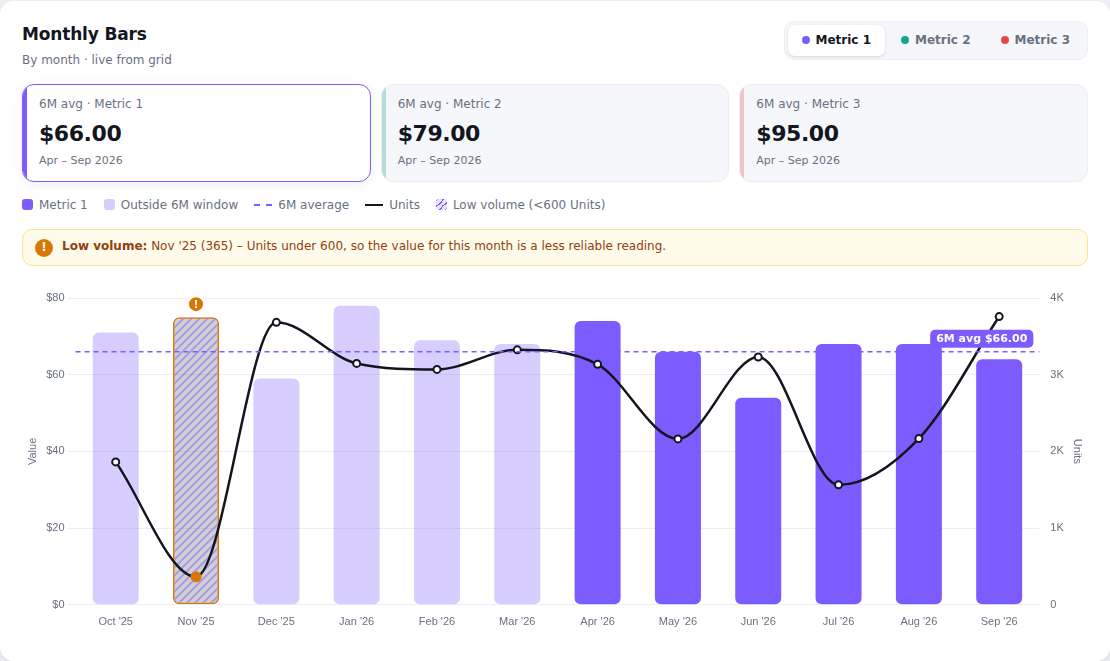
Monthly Bars
A $ metric by month as bars, with a toggle between three metrics, 6-month average cards and a second metric as a line.
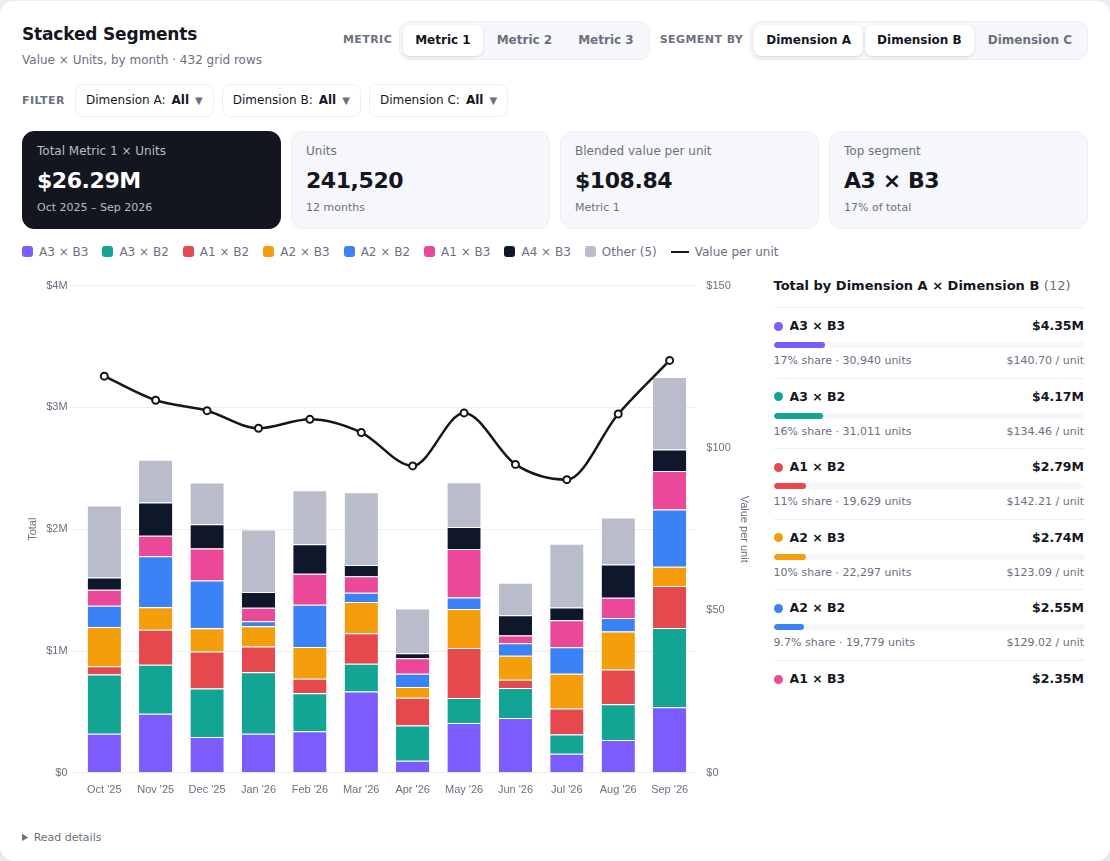
Stacked Segments
Metric × units by month, stacked by segment (any combination of three dimensions), with filters and a ranking.
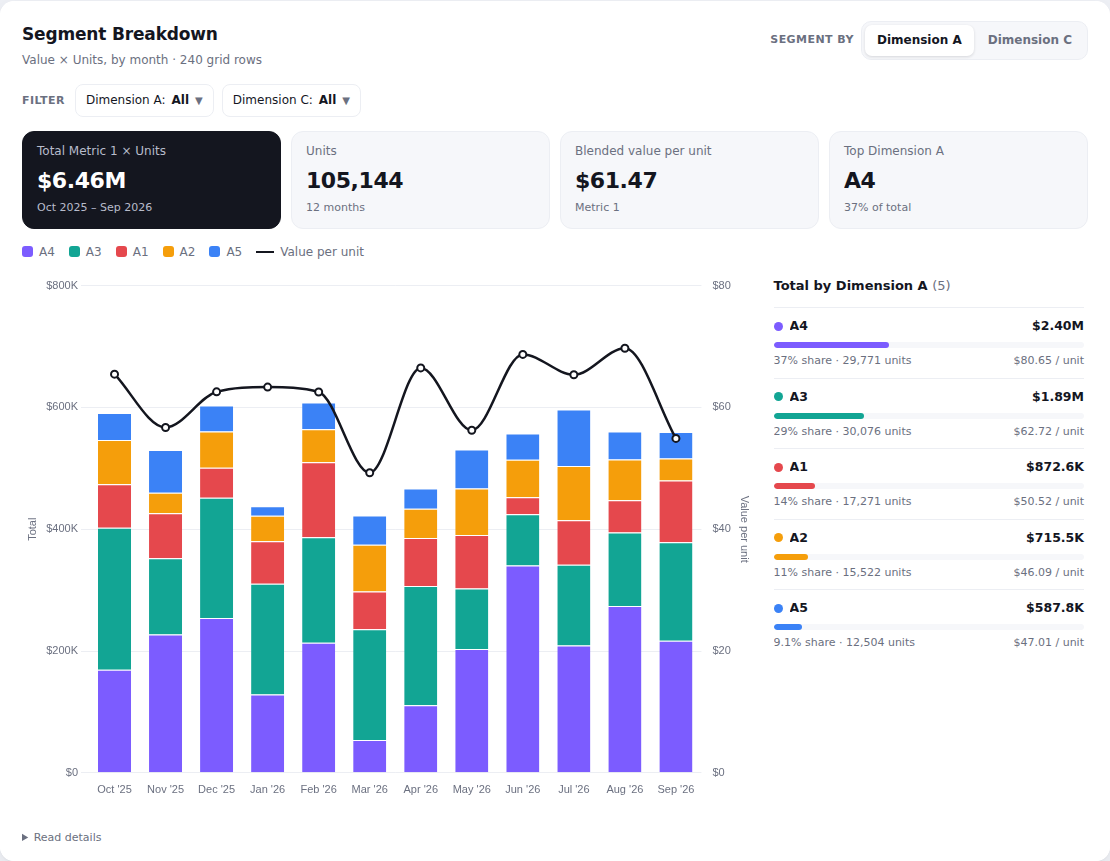
Segment Breakdown
The stacked segment view for grids with the month first and two dimensions – starts on Dimension A, combine with Dimension C.
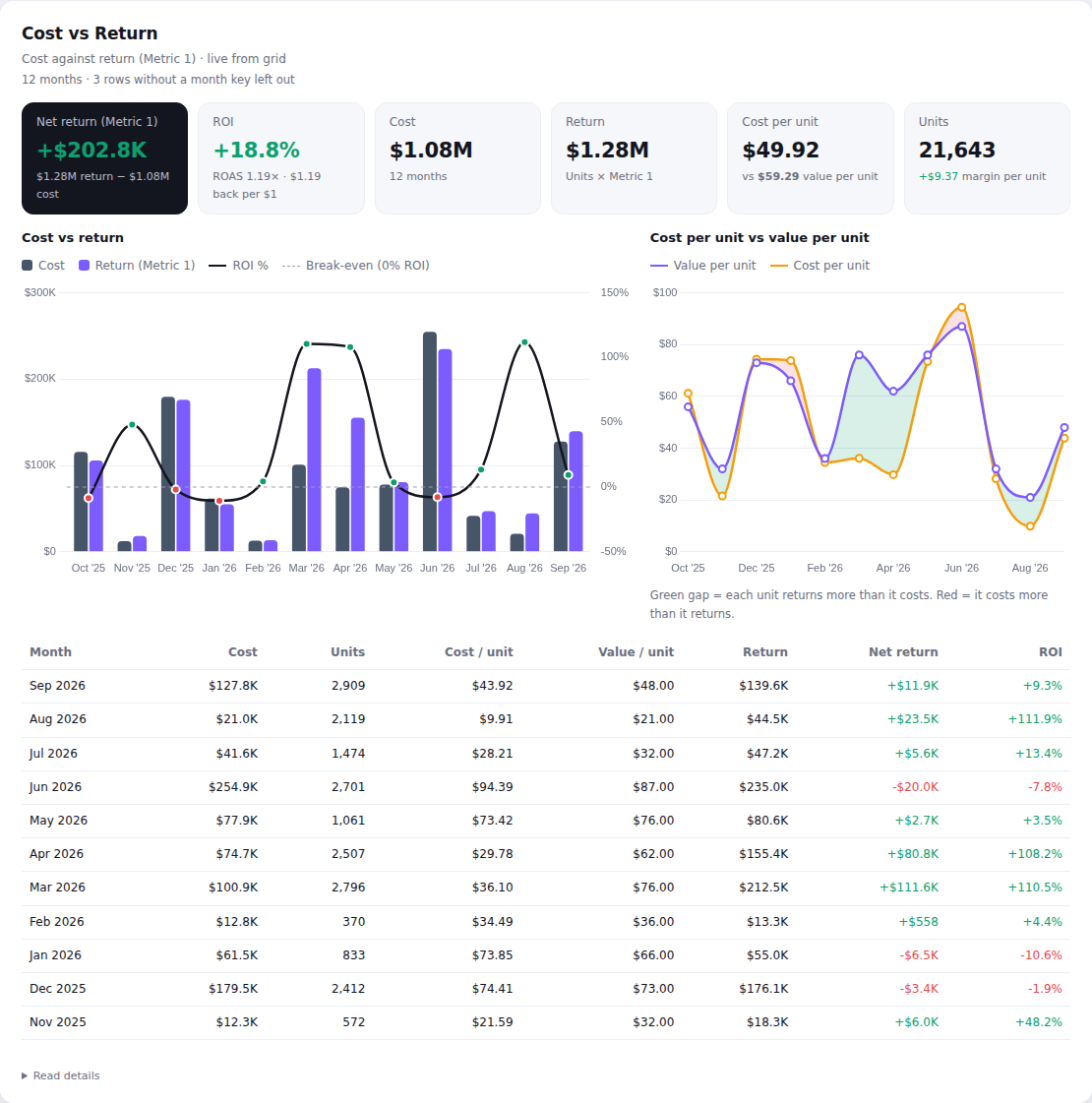
Cost vs Return
Cost against return (units × value) by month: net return, ROI, cost per unit vs value per unit and a monthly table.
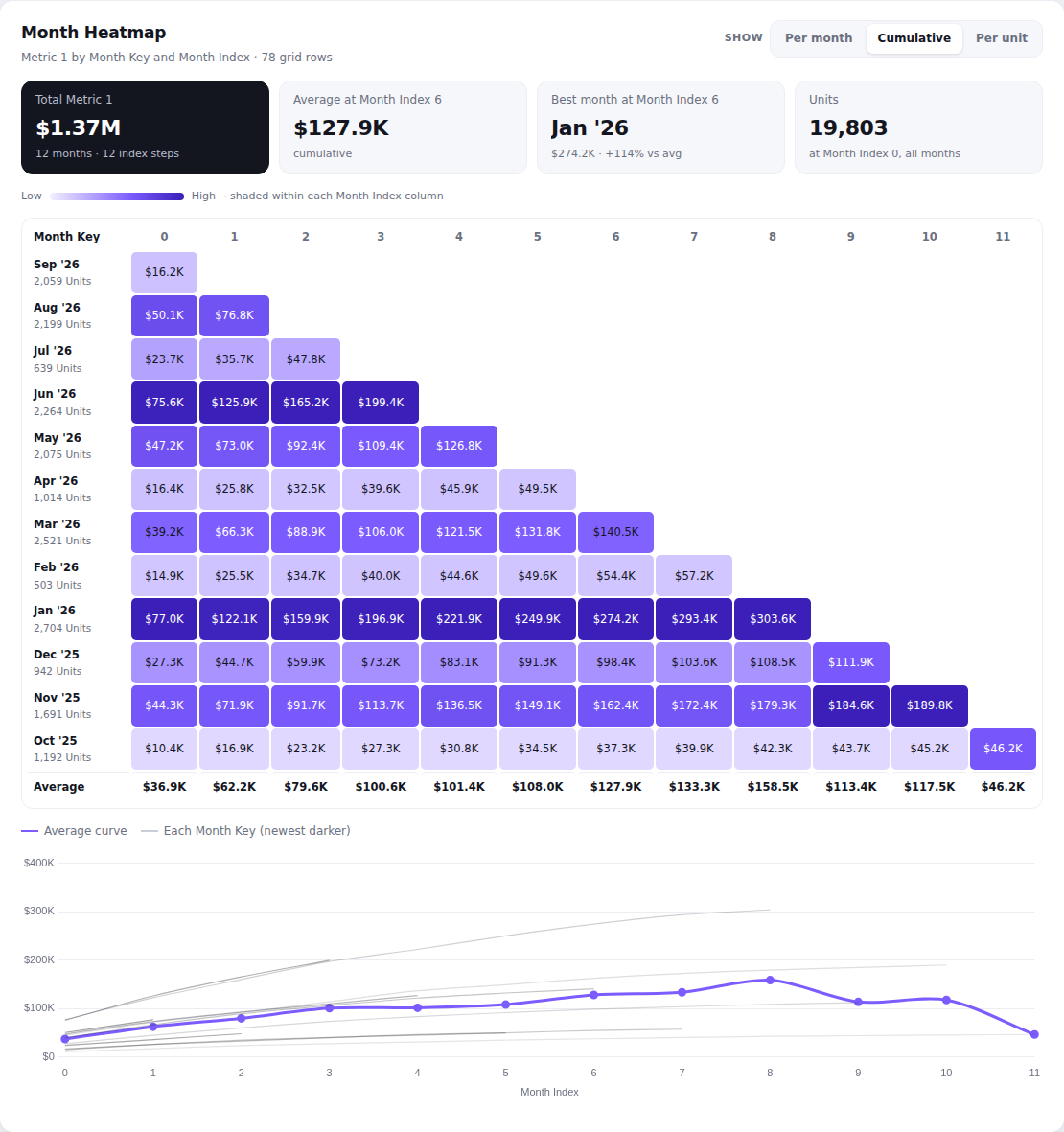
Month Heatmap
A heatmap of a $ metric by start month and month index – per month, cumulative or per unit – with every month's curve against the average.
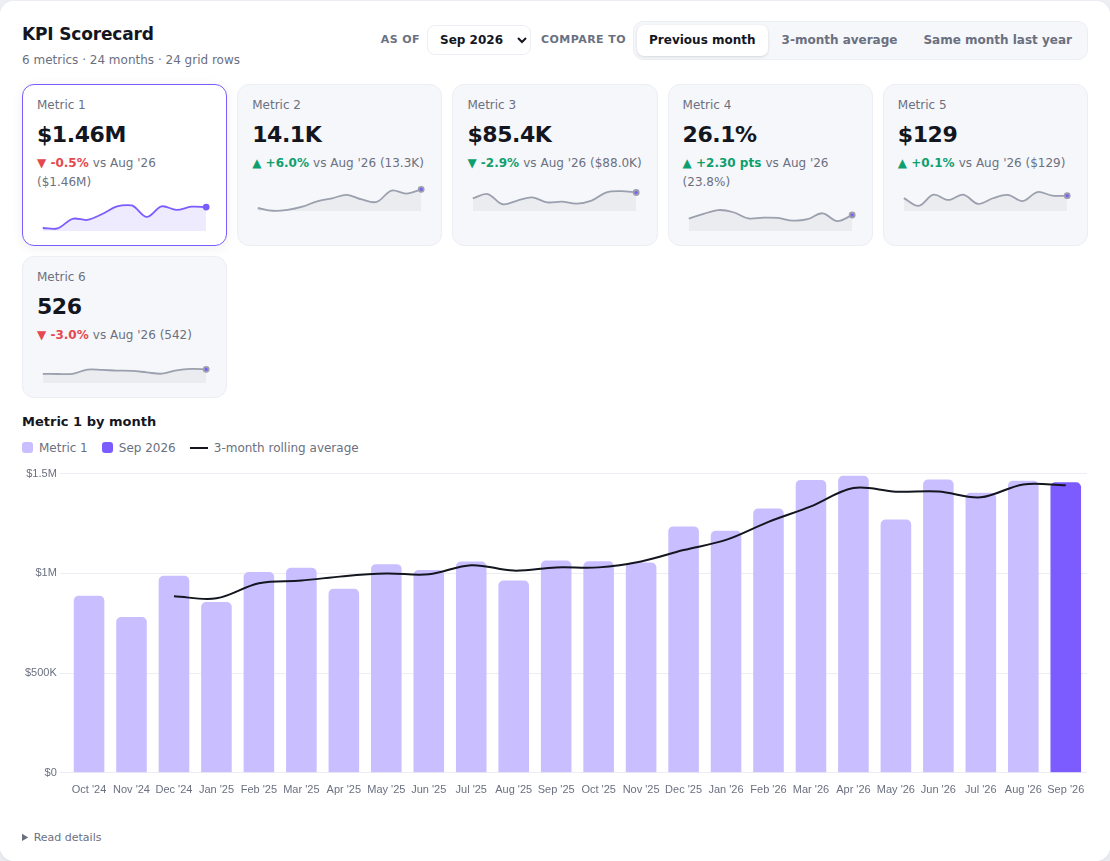
KPI Scorecard
Up to six metrics as cards with the latest value, change vs the previous month, a 3-month average or last year, and a sparkline; click one for its trend.
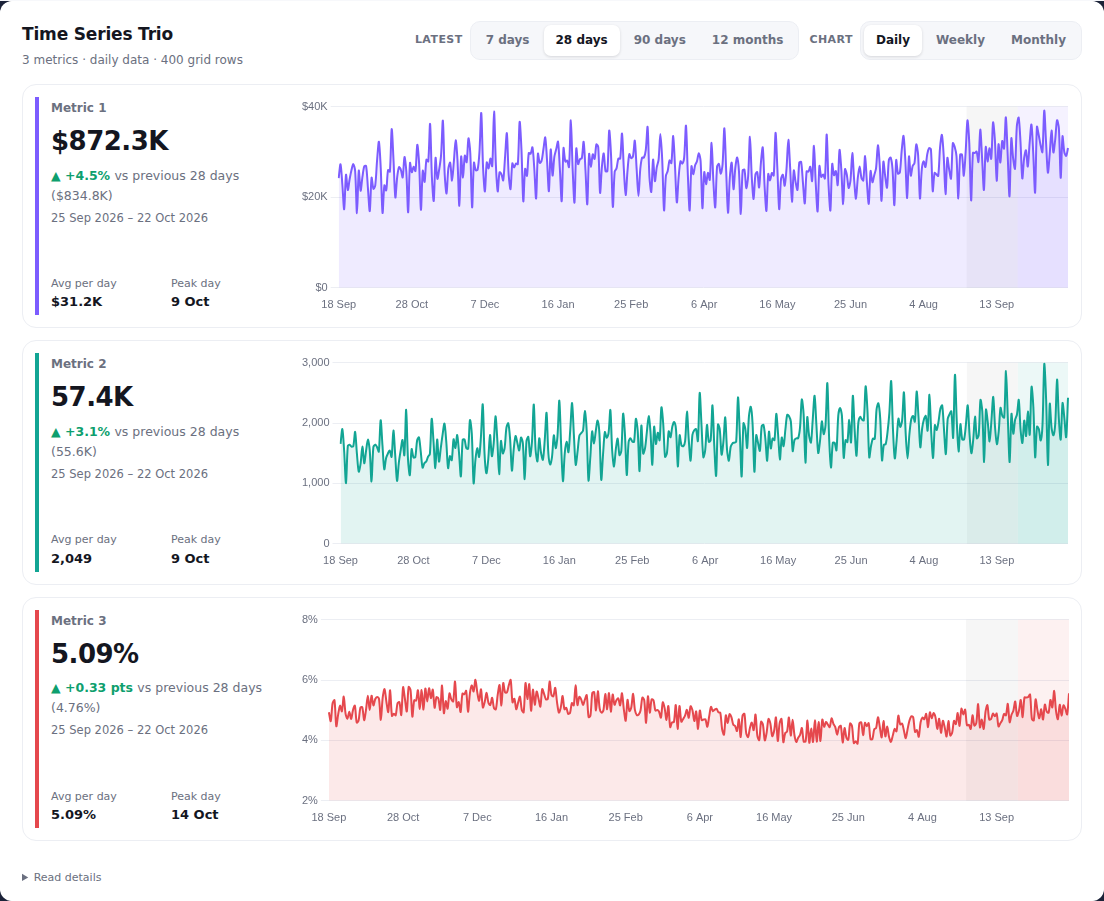
Time Series Trio
Three metrics, each on its own row: a scorecard for the latest 7/28/90 days or months against the period before, next to a chart of all the data over time.
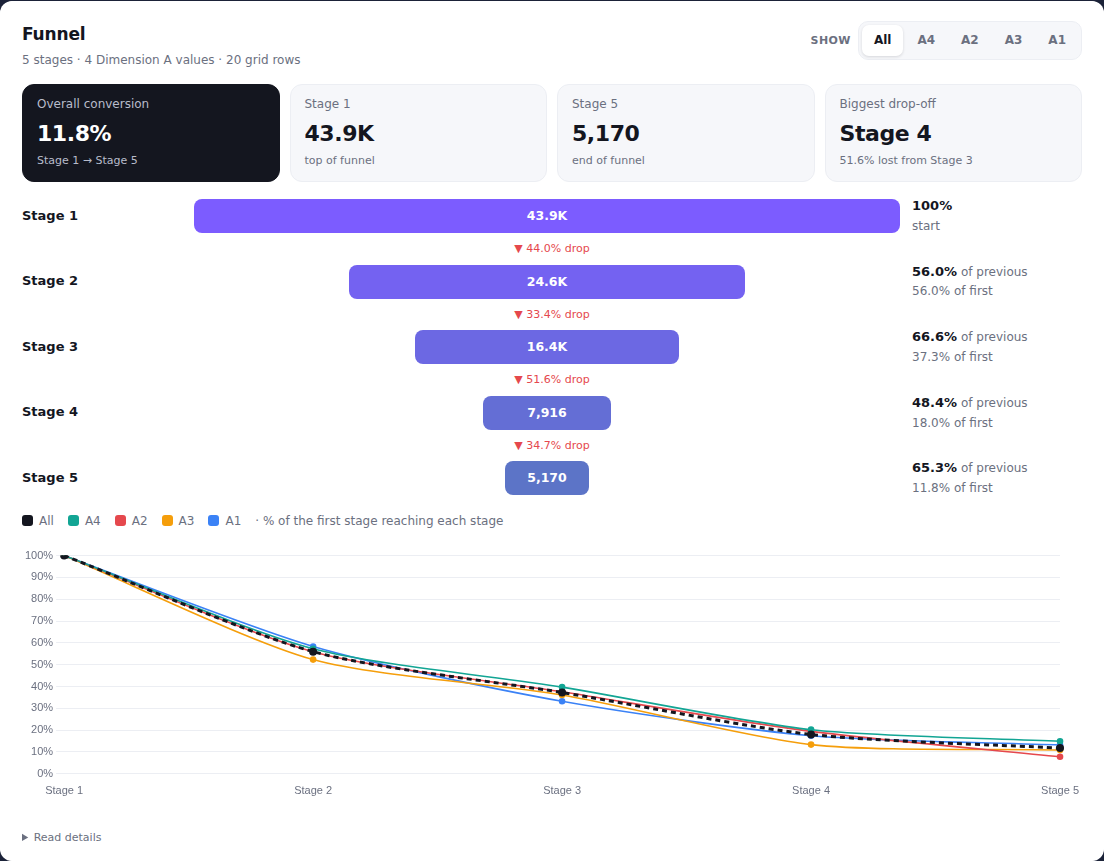
Funnel
Counts through ordered stages as a funnel, with step and overall conversion, the biggest drop-off and a conversion curve per segment.
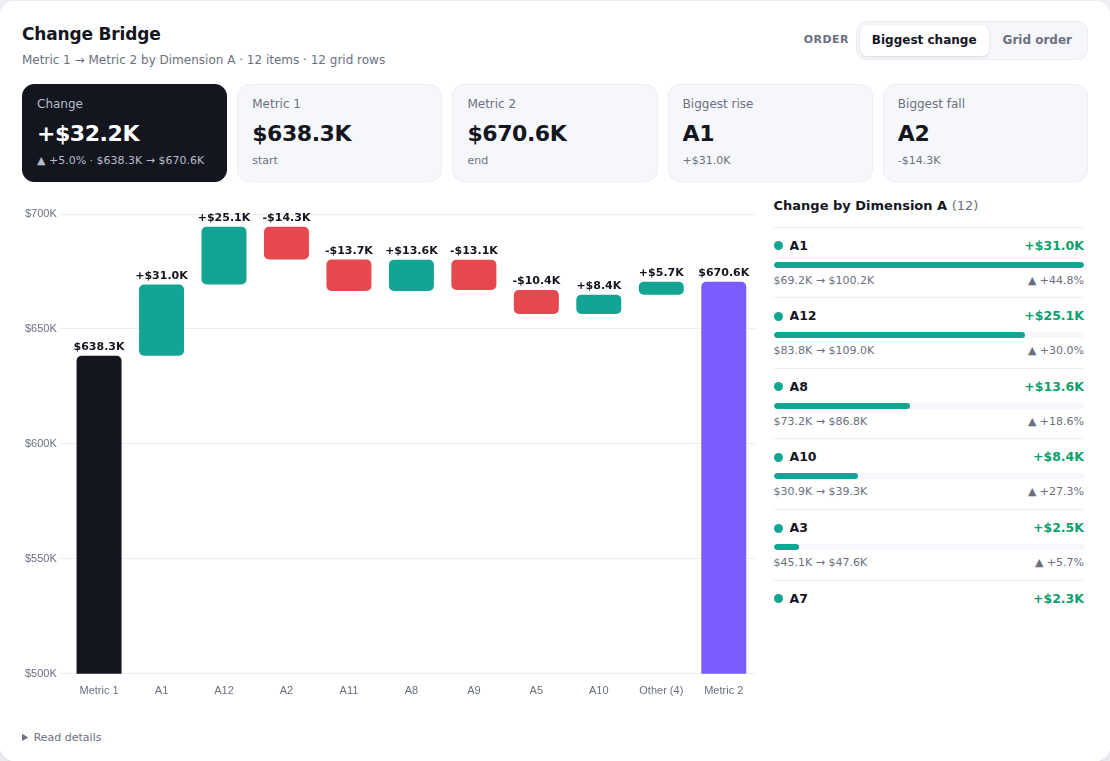
Change Bridge
A waterfall from one total to another, showing how much each item added or took away – e.g. last period to this period.
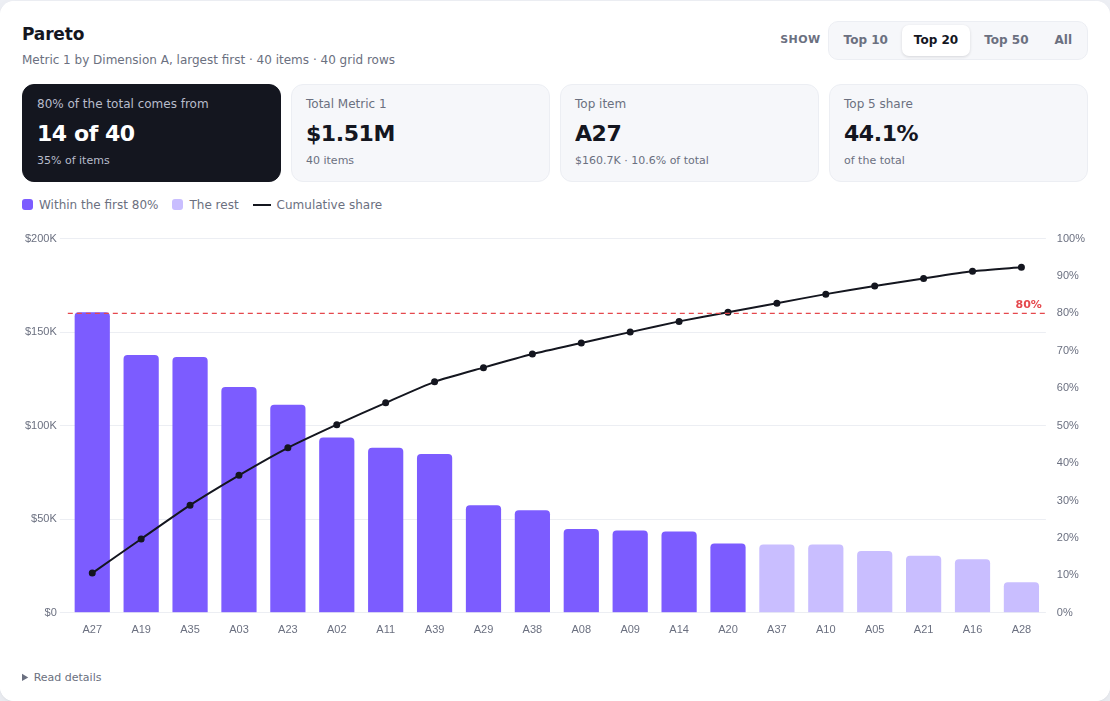
Pareto
Items ranked largest first with a cumulative share line, showing how few items make up 80% of the total.
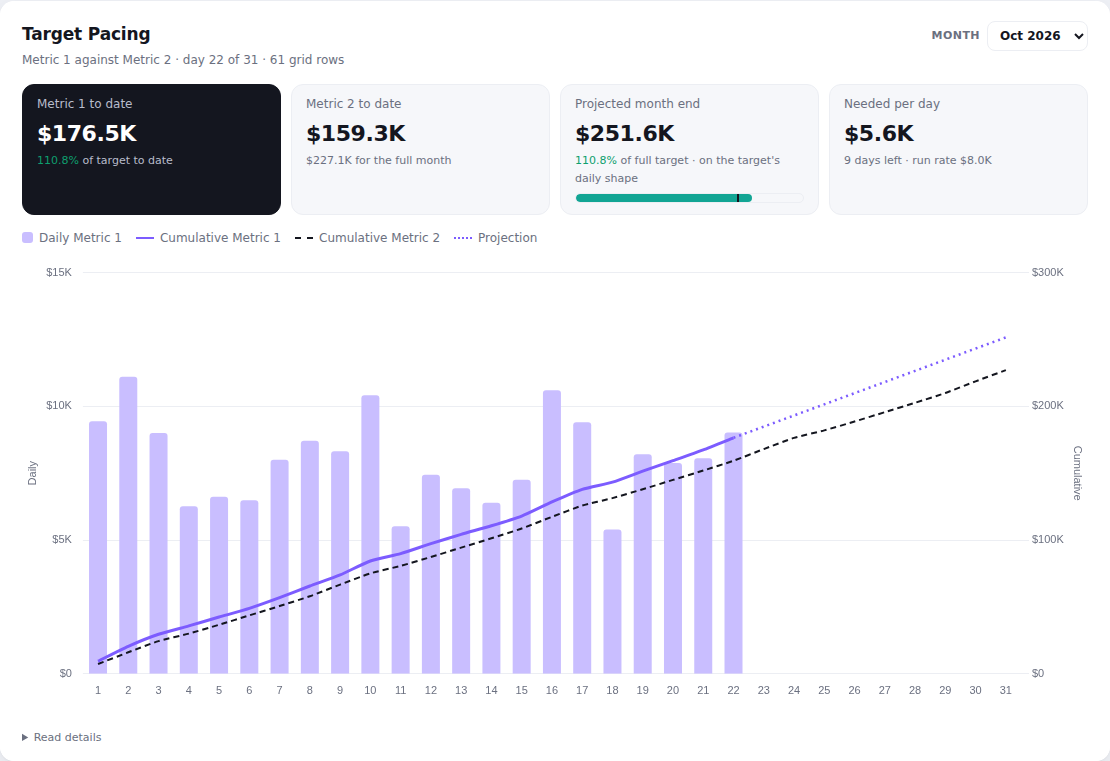
Target Pacing
Month-to-date actual against target by day, with a month-end projection, % of target and the daily rate needed to hit it.
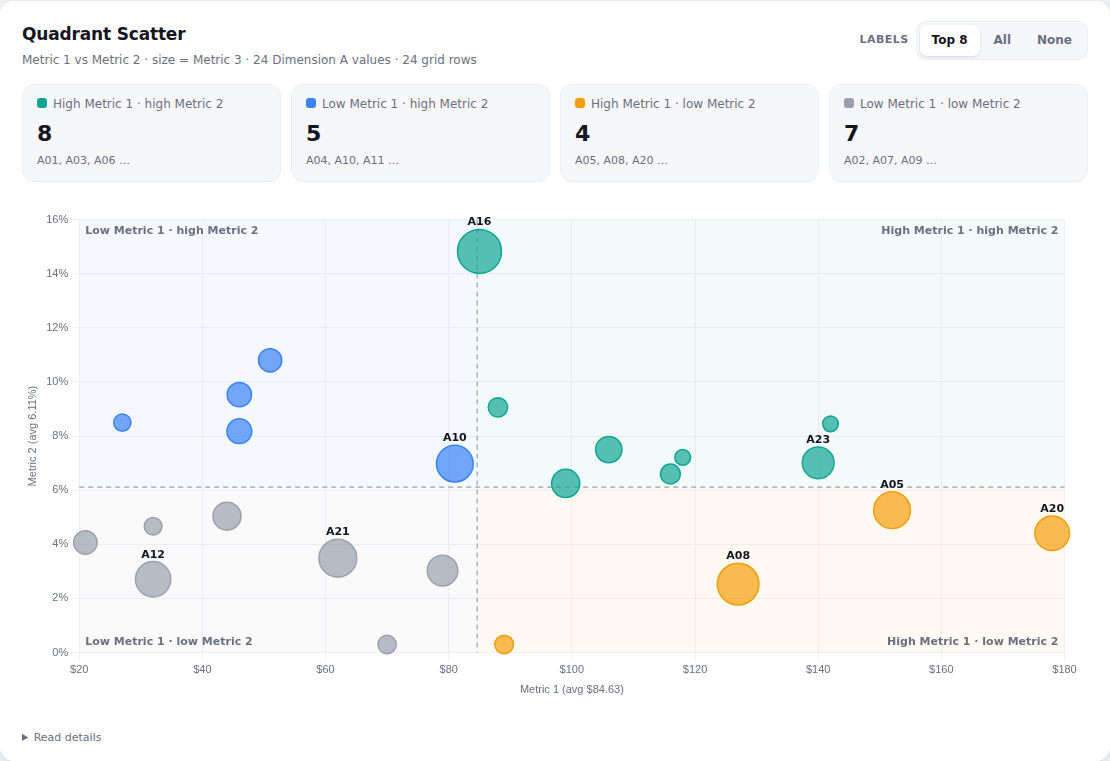
Quadrant Scatter
Each item plotted by two metrics, sized by a third, split into four quadrants at the averages – spot the high-value, low-cost winners.
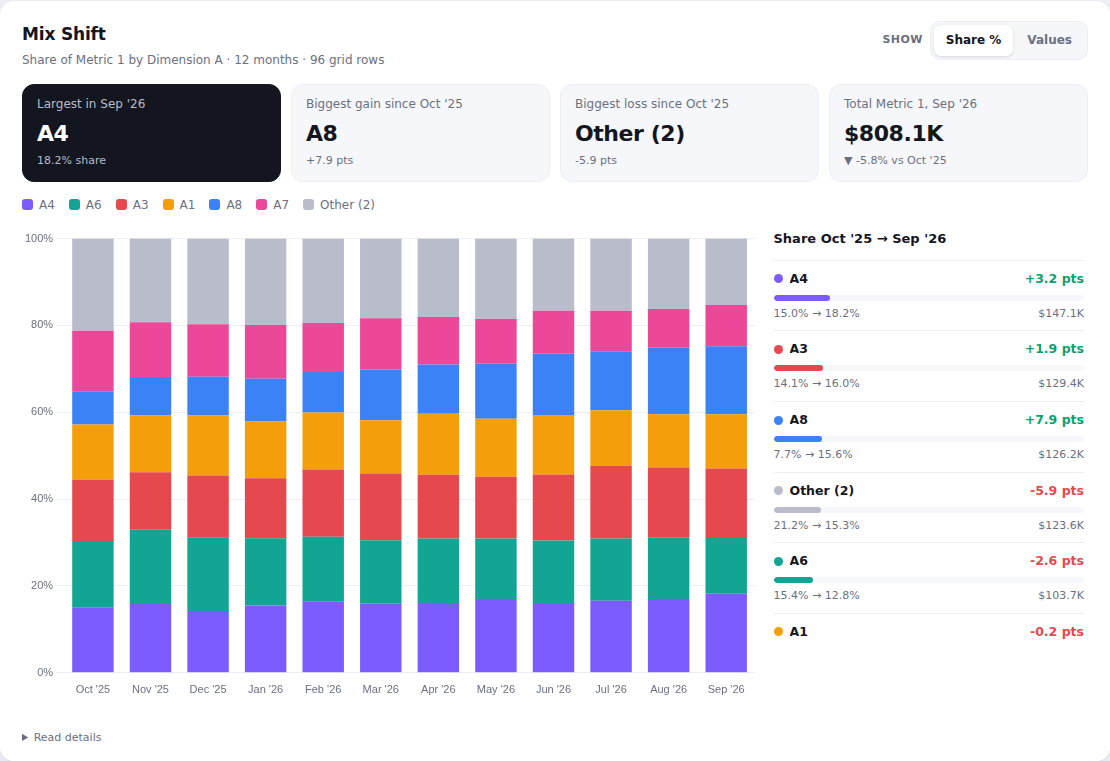
Mix Shift
How the share of a total moves between segments month by month, as 100% stacked bars with gains and losses in points.
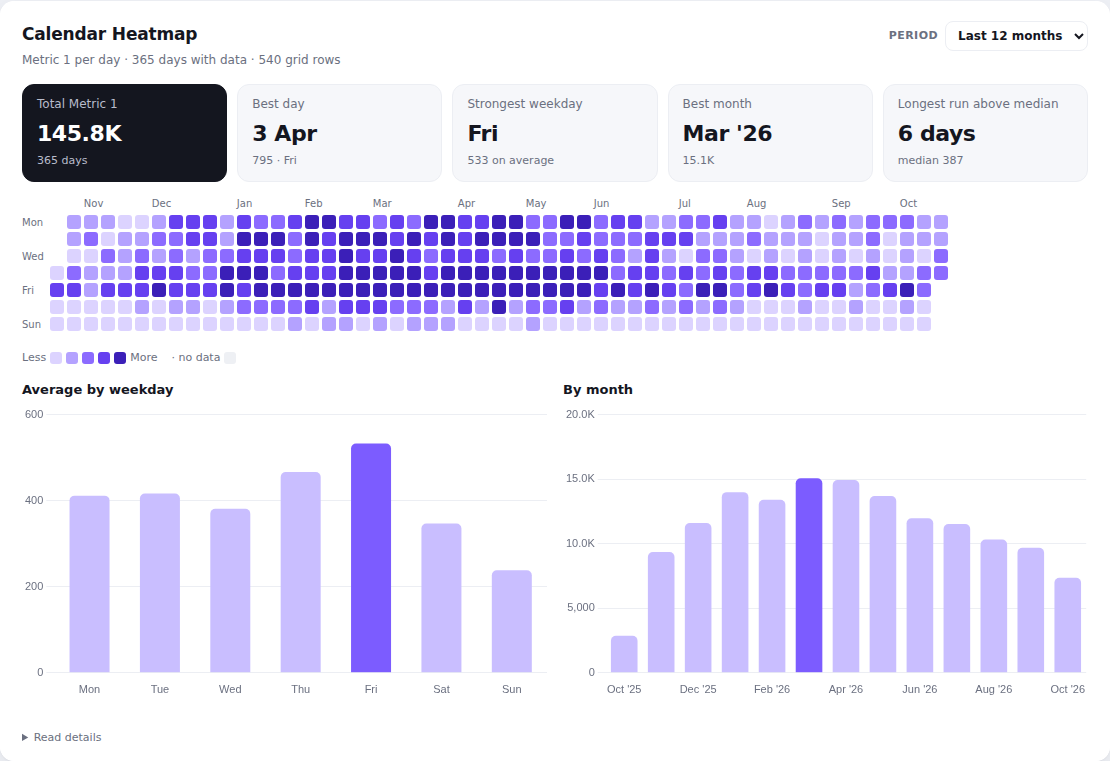
Calendar Heatmap
A daily metric laid out as a calendar, one square per day, with averages by weekday and totals by month.
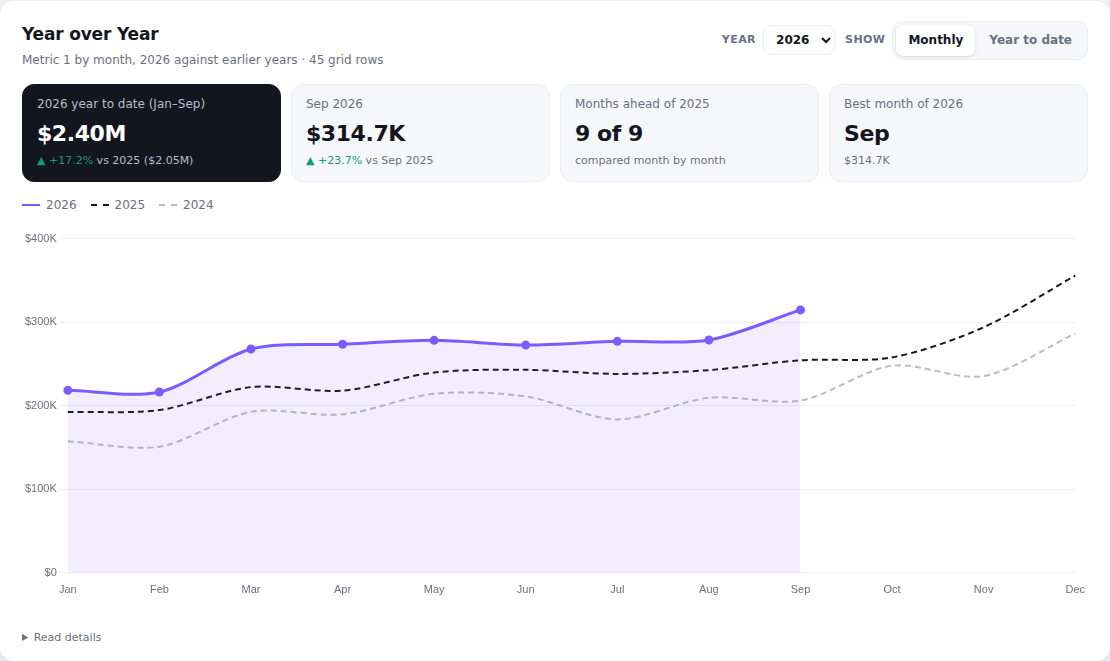
Year over Year
A metric by calendar month for this year against the two before, monthly or year to date, with the YTD change.
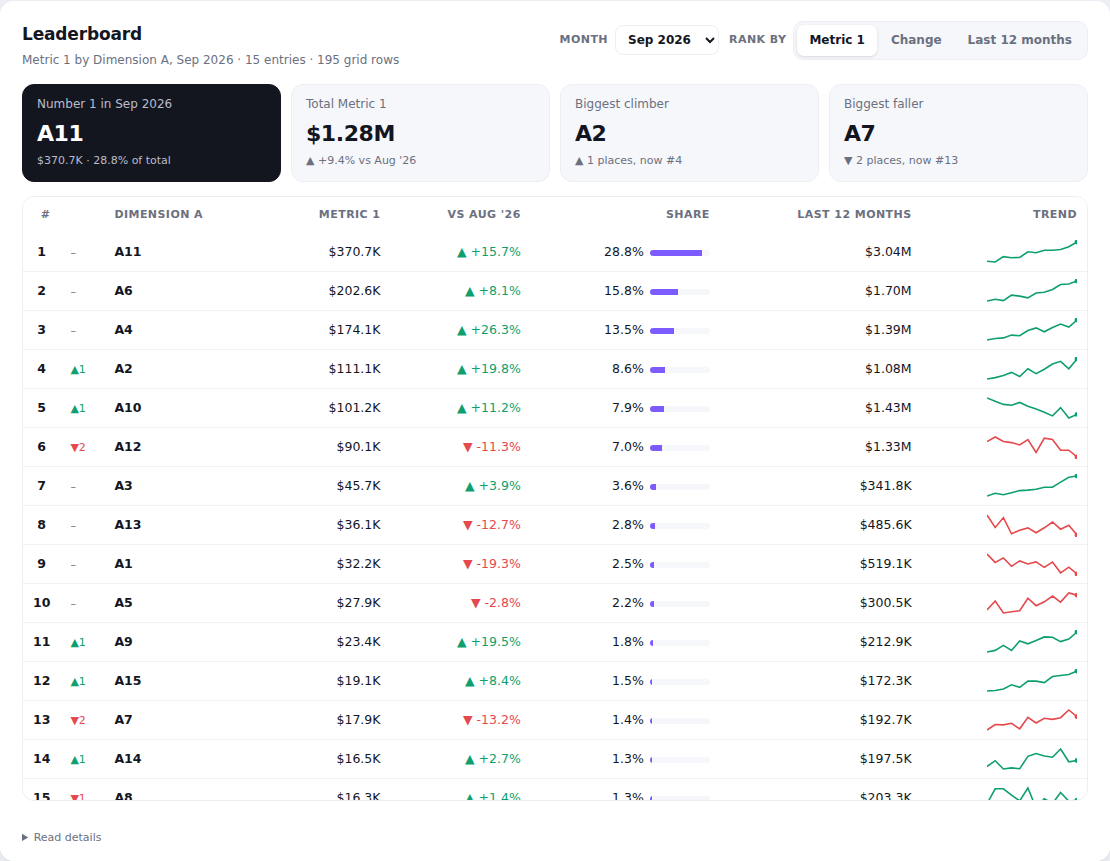
Leaderboard
A ranked table for any month with change vs the month before, rank movement, share, a 12-month total and a trend sparkline.
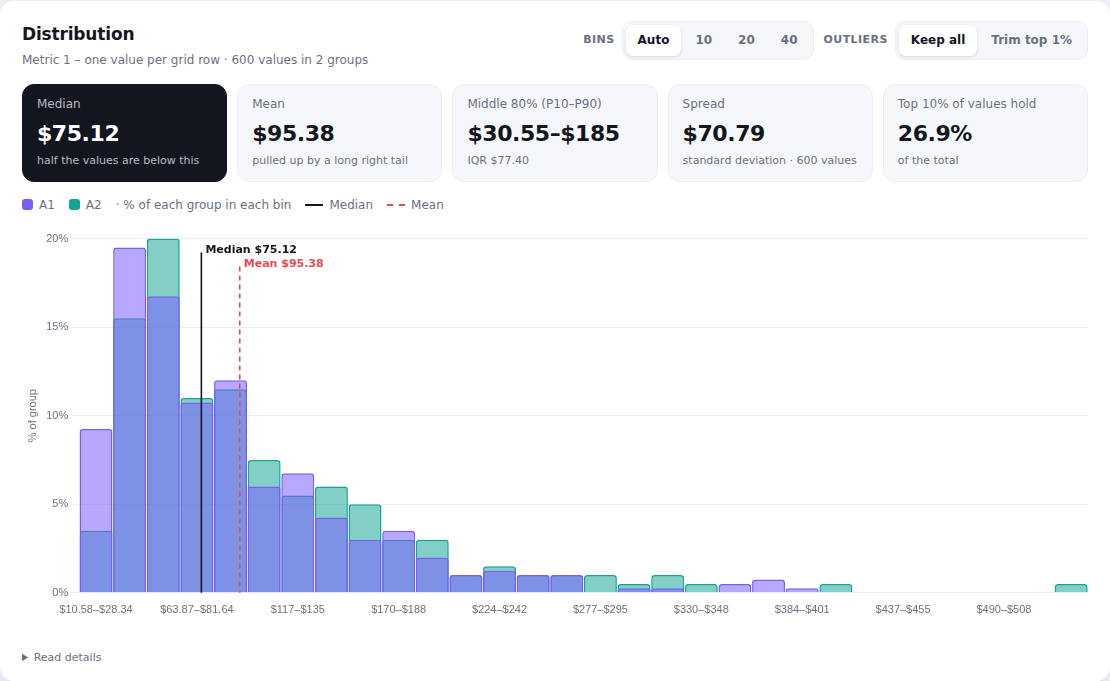
Distribution
A histogram of one value per row (e.g. per customer or order), with median, mean, P10–P90 and how much the top 10% hold – optionally split into groups.
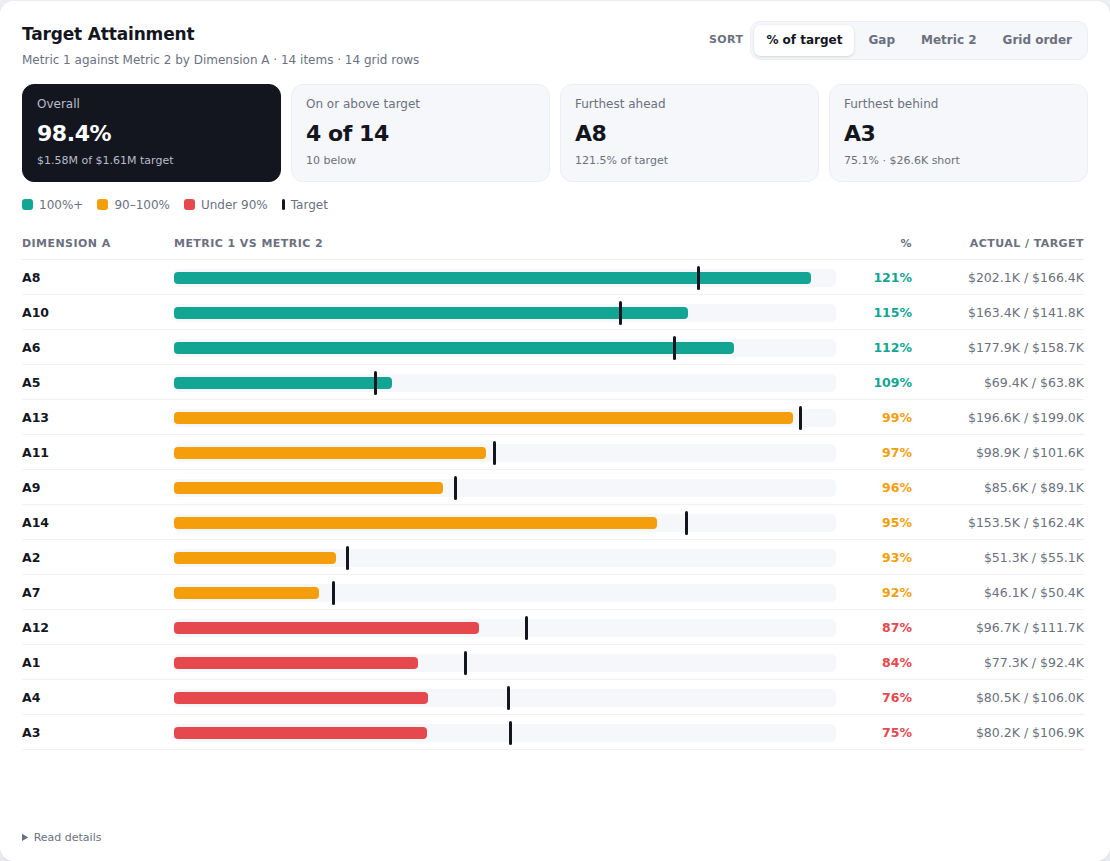
Target Attainment
Actual against target for every item as bullet bars, coloured by % of target, with the overall position and who's furthest ahead or behind.
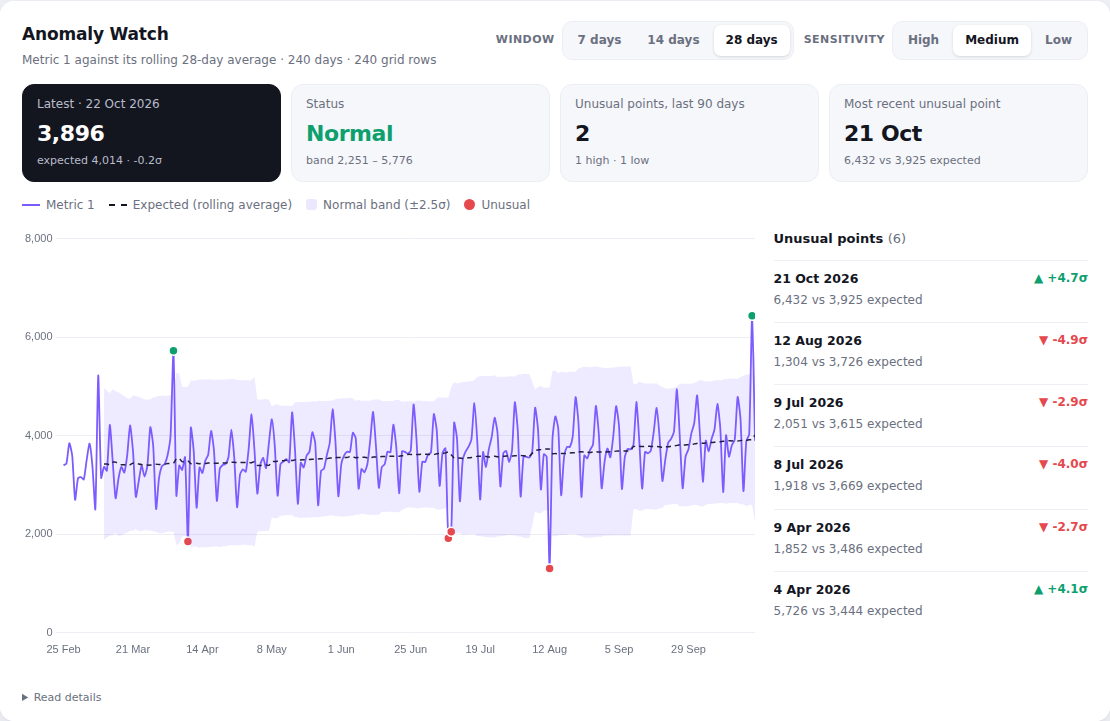
Anomaly Watch
A daily or monthly metric against its rolling average with a normal band, flagging the points that are unusually high or low.
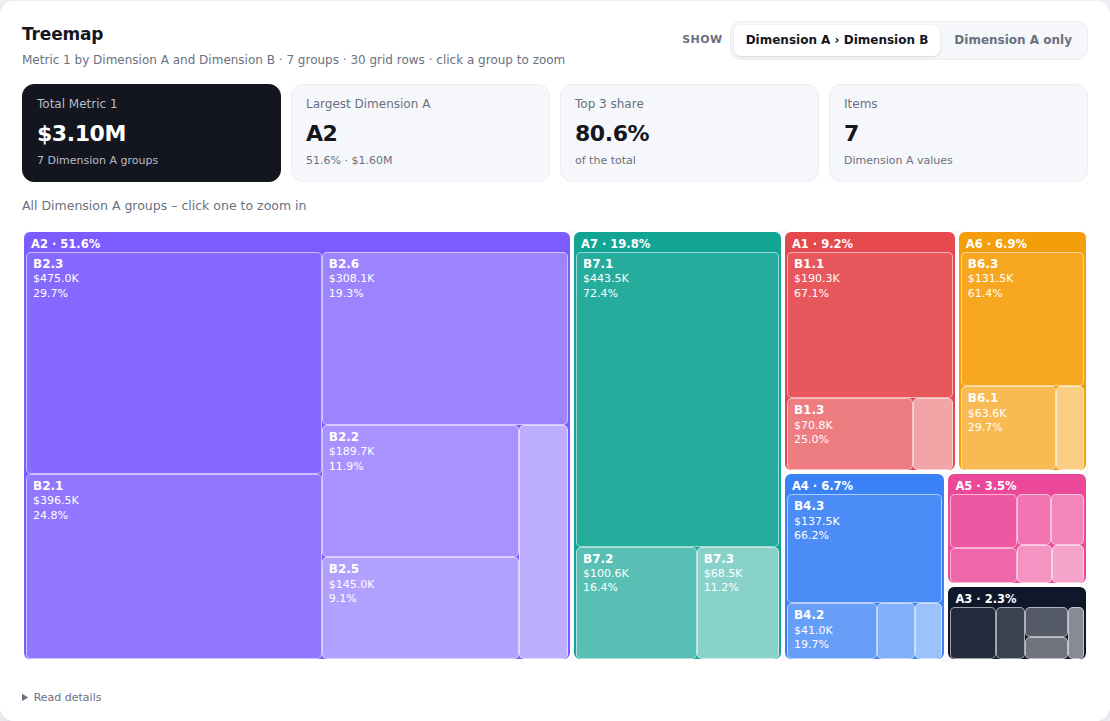
Treemap
Rectangles sized by value, grouped by one dimension and split by a second – click a group to zoom in.
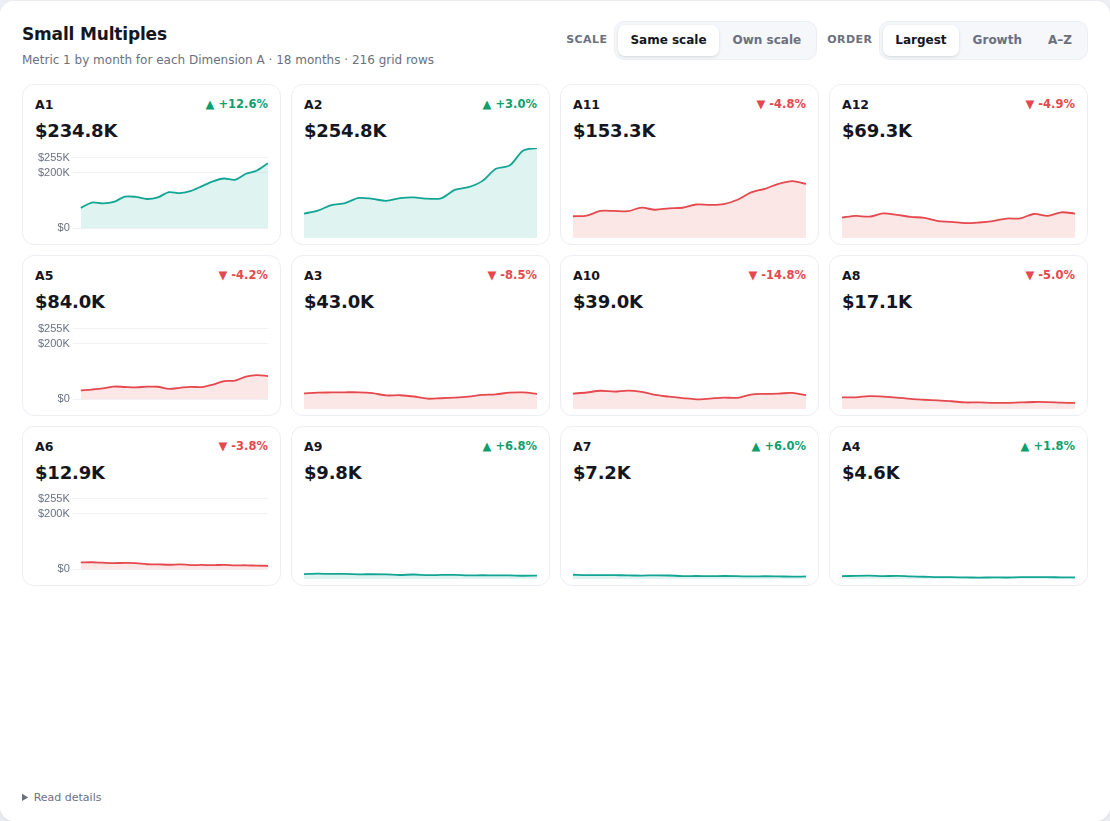
Small Multiples
A small chart per segment, side by side, with the latest value and change – on the same scale or each on its own.
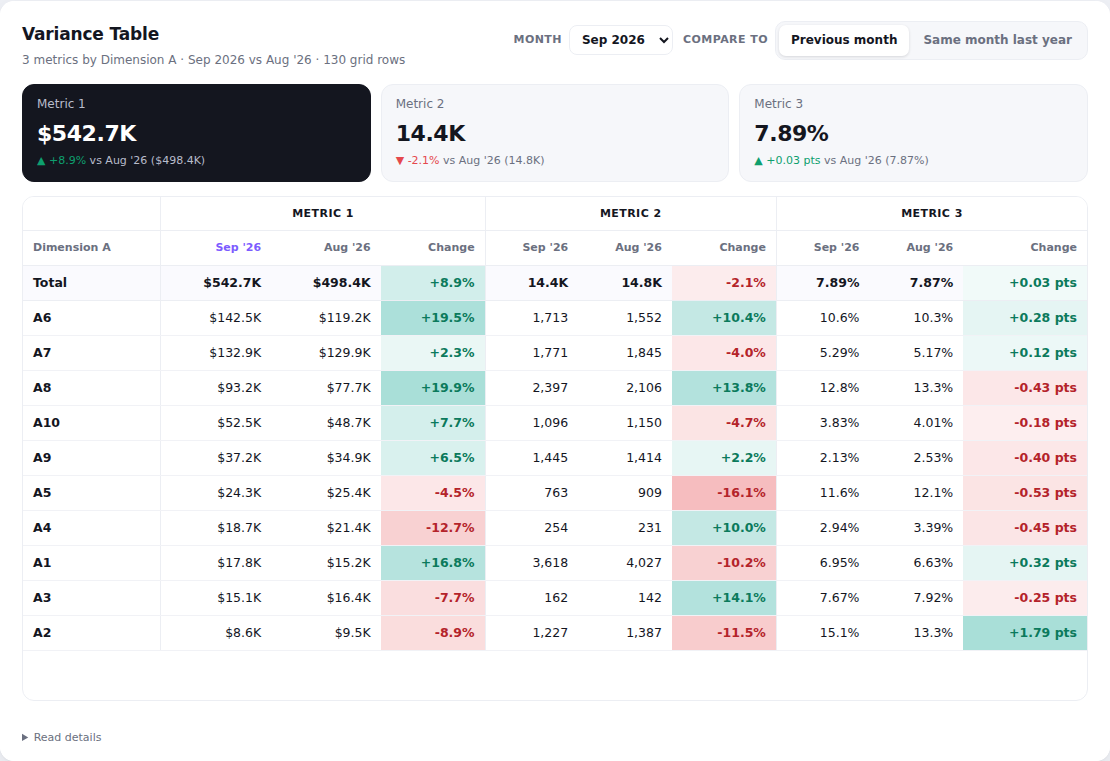
Variance Table
A table of up to three metrics by segment for any month against the previous month or last year, with colour-coded changes and totals.
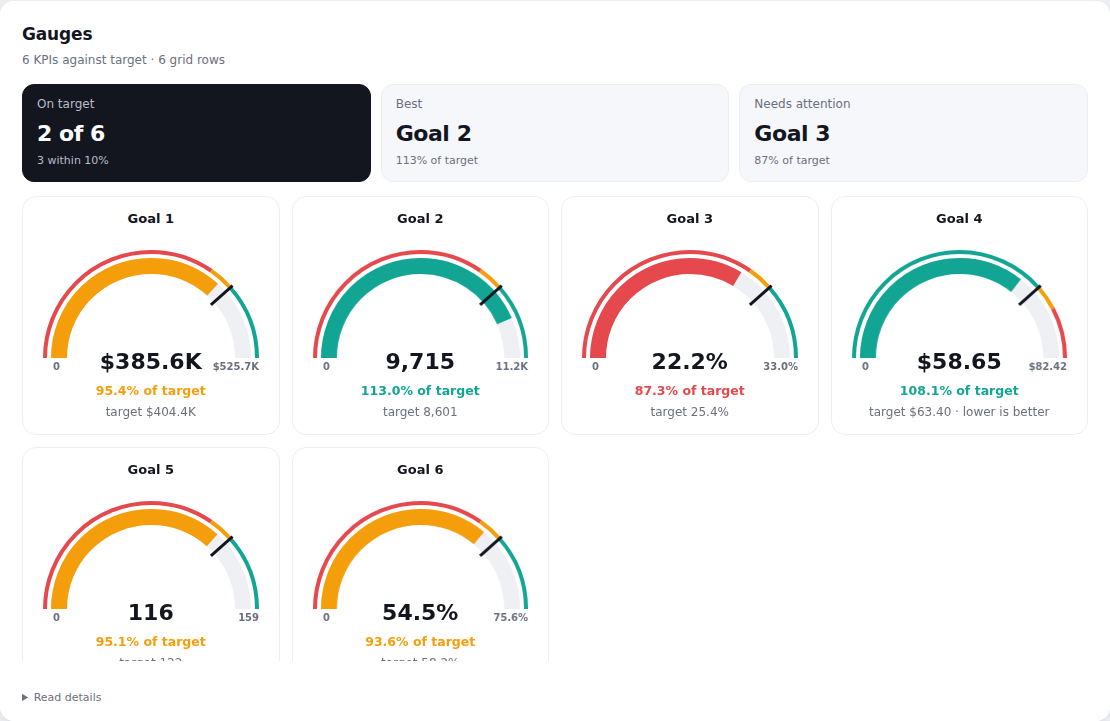
Gauges
Up to 12 KPIs as dials against their targets, with red/amber/green zones and a target marker.
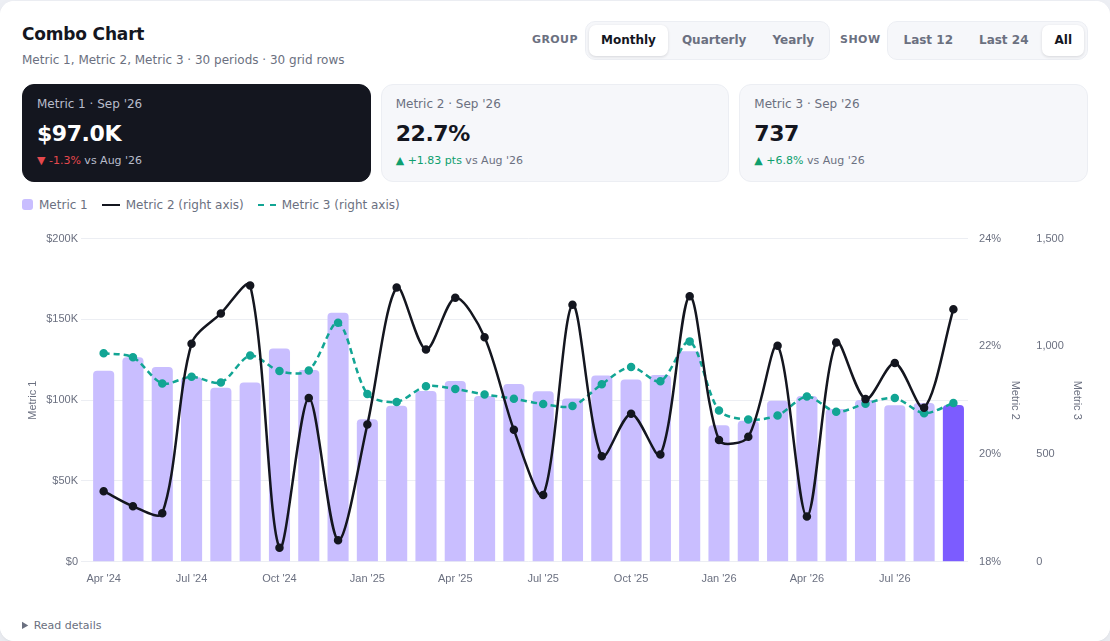
Combo Chart
Bars for one metric with one or two more as lines on a second axis, grouped by day, week, month, quarter or year.
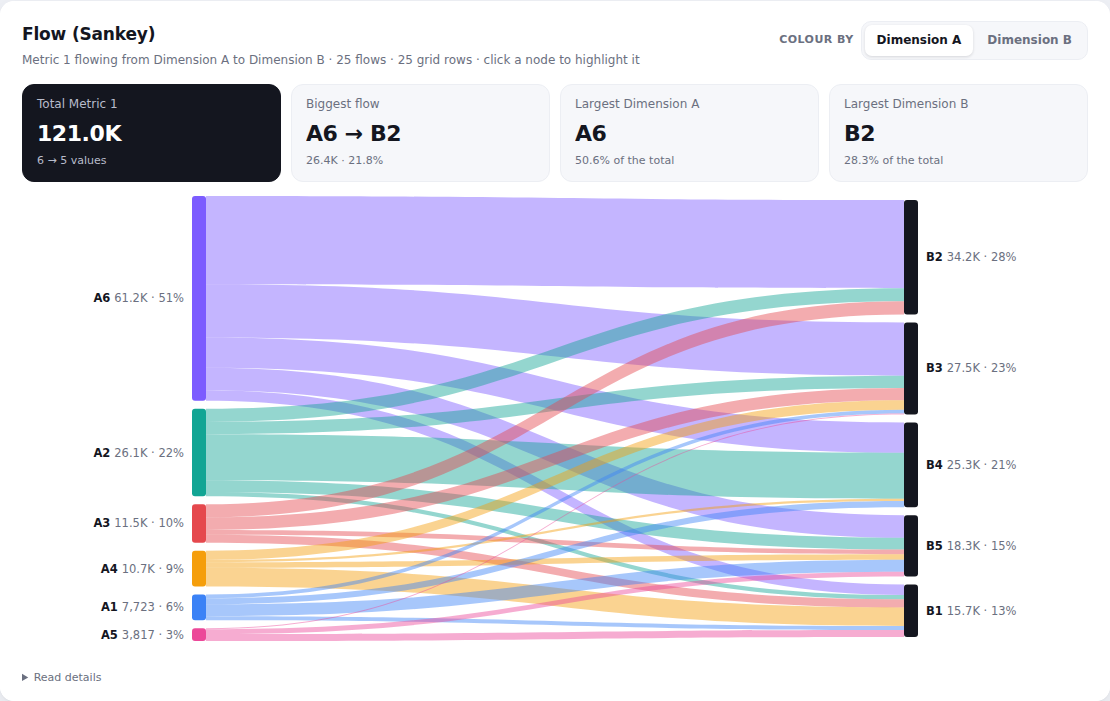
Flow (Sankey)
How a total flows from one dimension to another – e.g. source to outcome – as bands sized by value. Click a node to highlight its flows.
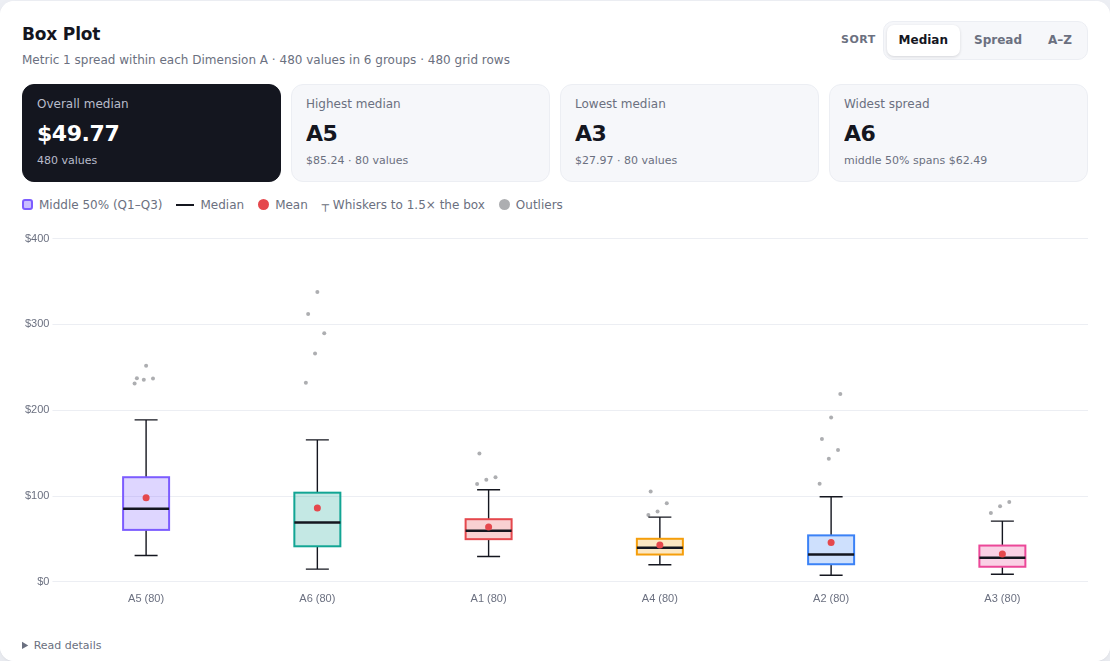
Box Plot
The spread of a value within each group – median, middle 50%, whiskers, mean and outliers – to compare groups fairly.
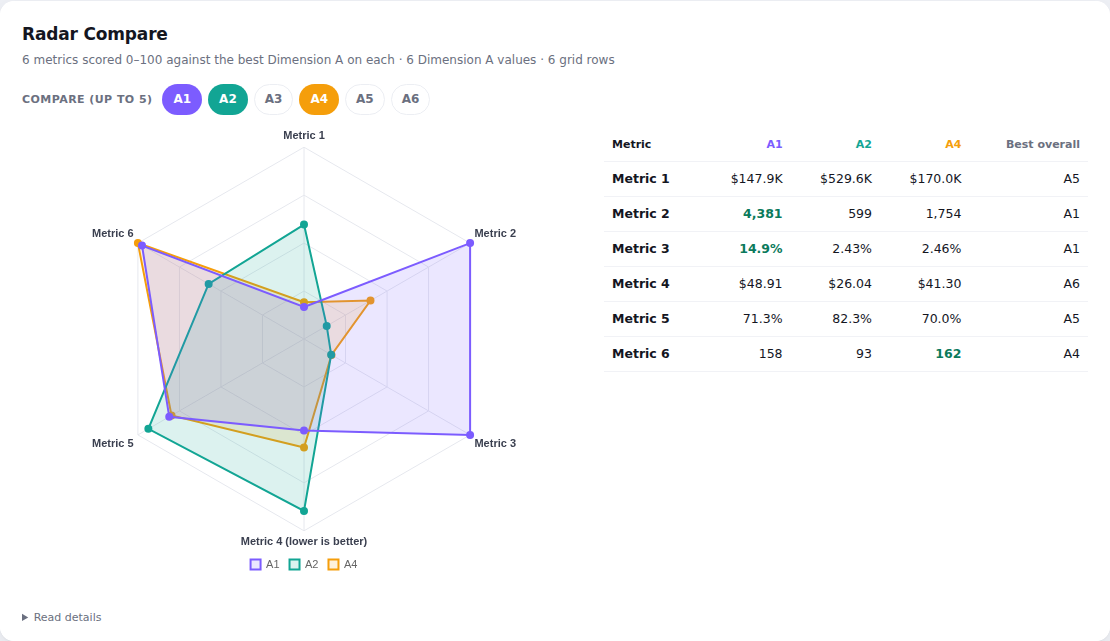
Radar Compare
Compare up to five segments across several metrics on one radar, each metric scored 0–100 against the best segment.
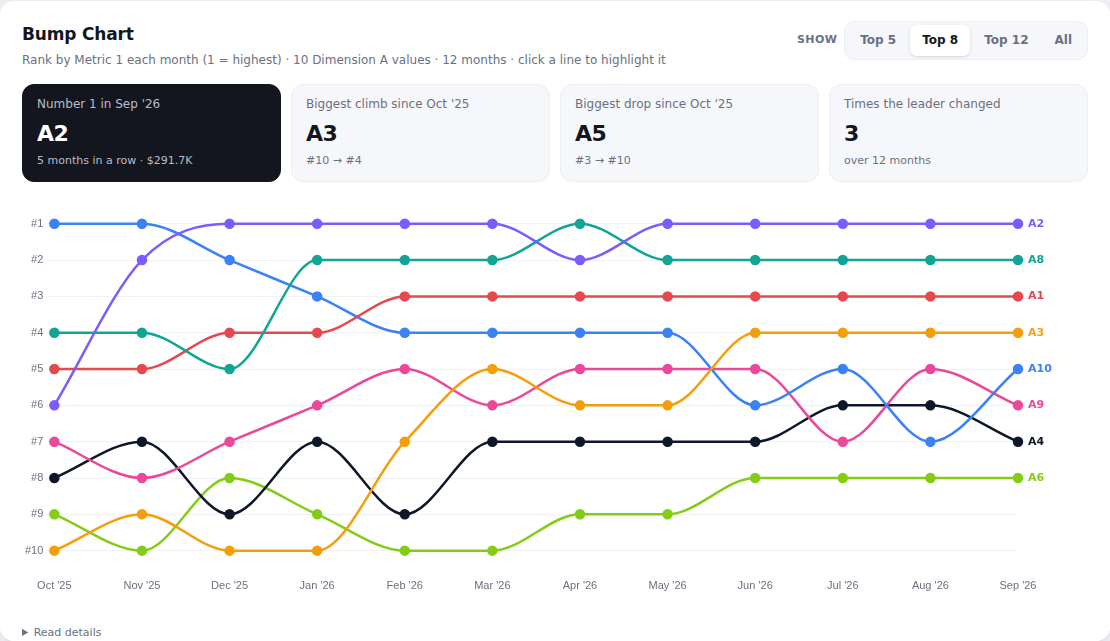
Bump Chart
How each segment's rank changes month by month – who's rising, who's falling and how often the leader changes.
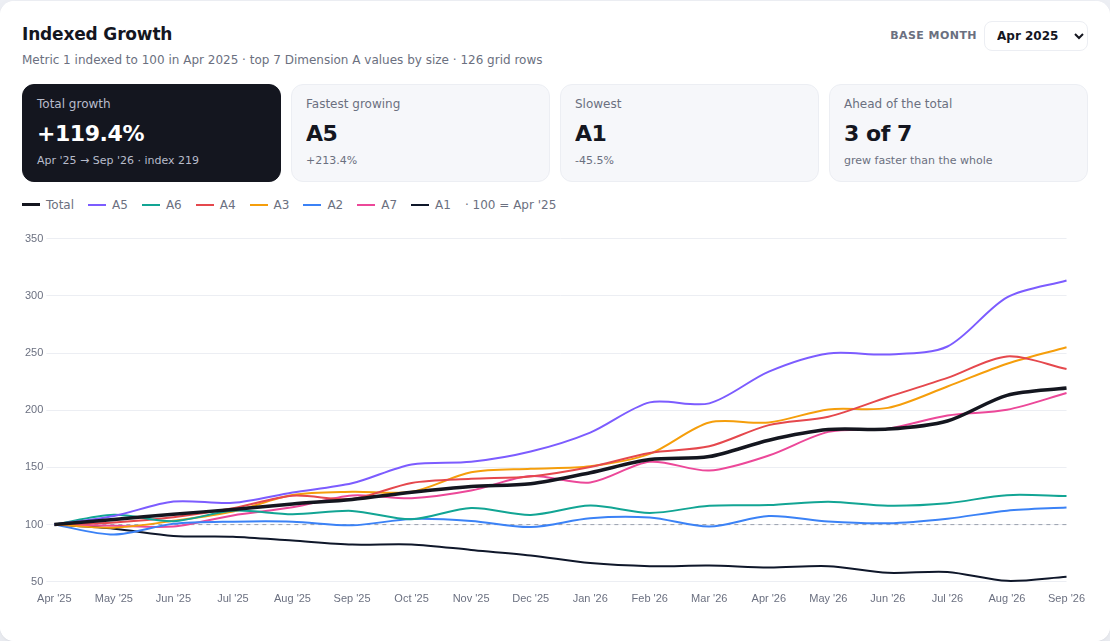
Indexed Growth
Every segment's trend indexed to 100 at a base month, so growth can be compared regardless of size.
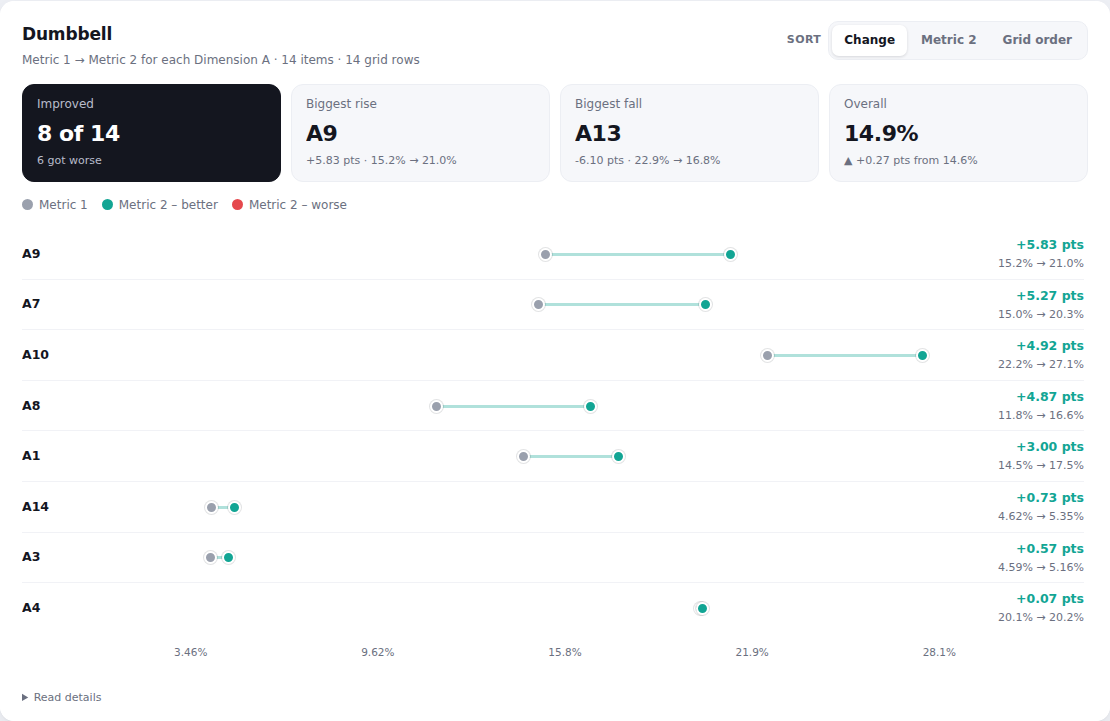
Dumbbell
Before and after for every item as two joined dots, coloured by whether it got better or worse.
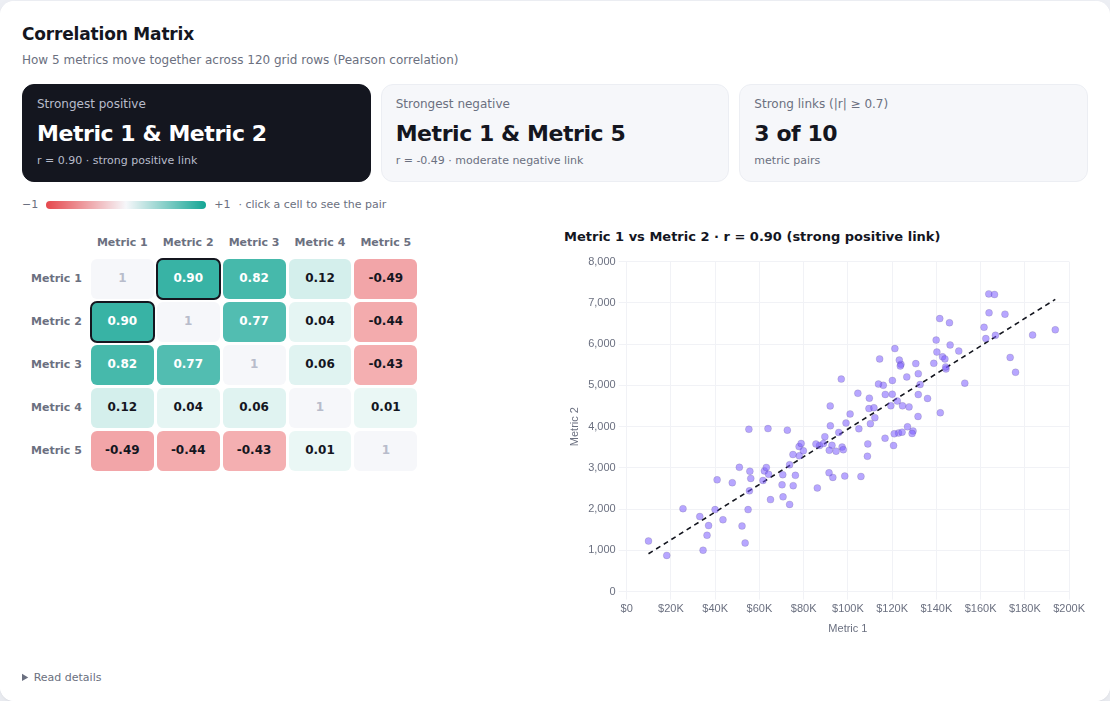
Correlation Matrix
How strongly up to six metrics move together across rows, as a colour-coded matrix – click a cell to see the scatter.
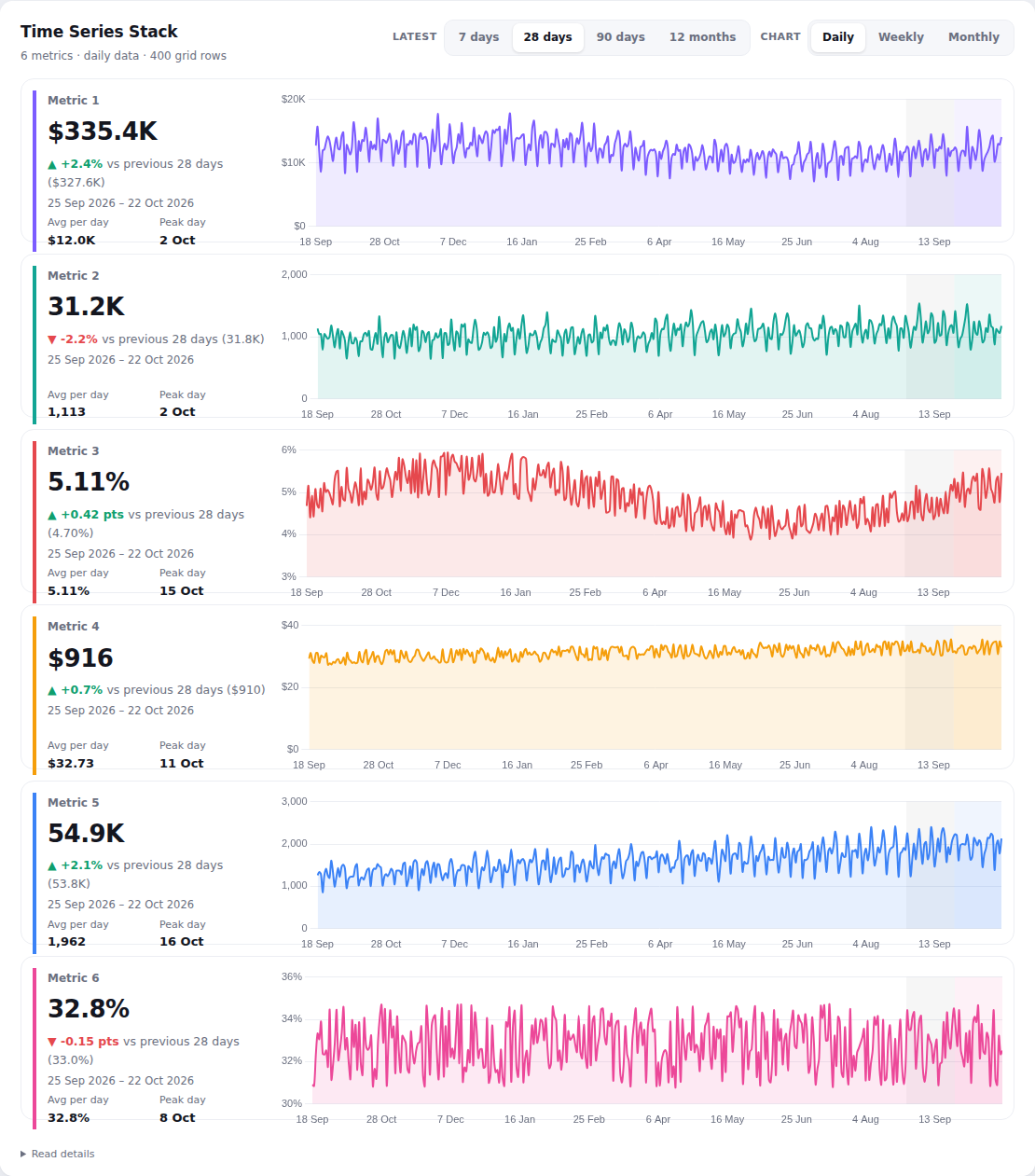
Time Series Stack
Up to six metrics, each on its own row with a latest-range scorecard and a chart of all the data over time.
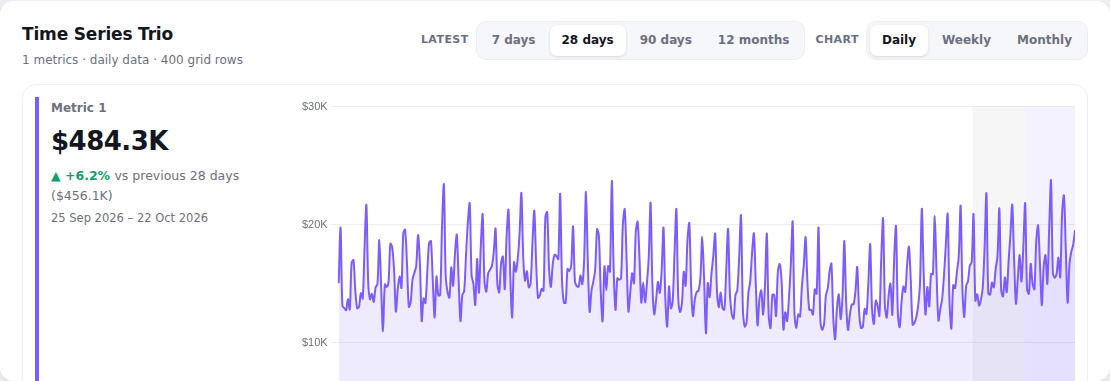
Time Series – 1 metric
One metric with a scorecard for the latest 7/28/90 days against the period before, next to its full history.
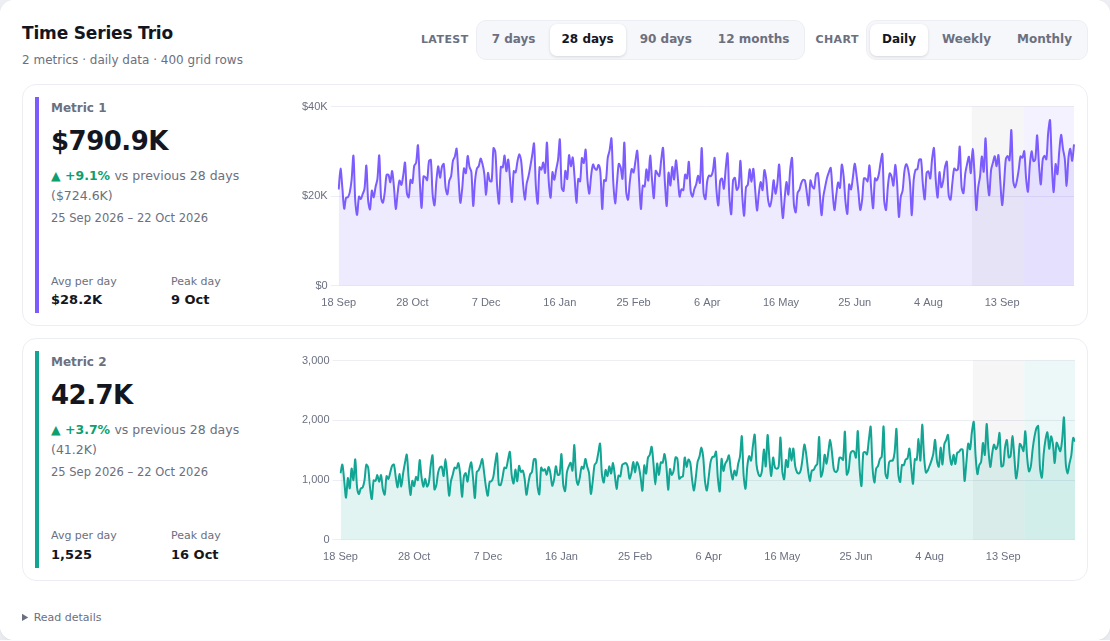
Time Series – 2 metrics
Two metrics, each with a latest-range scorecard and a chart over time.
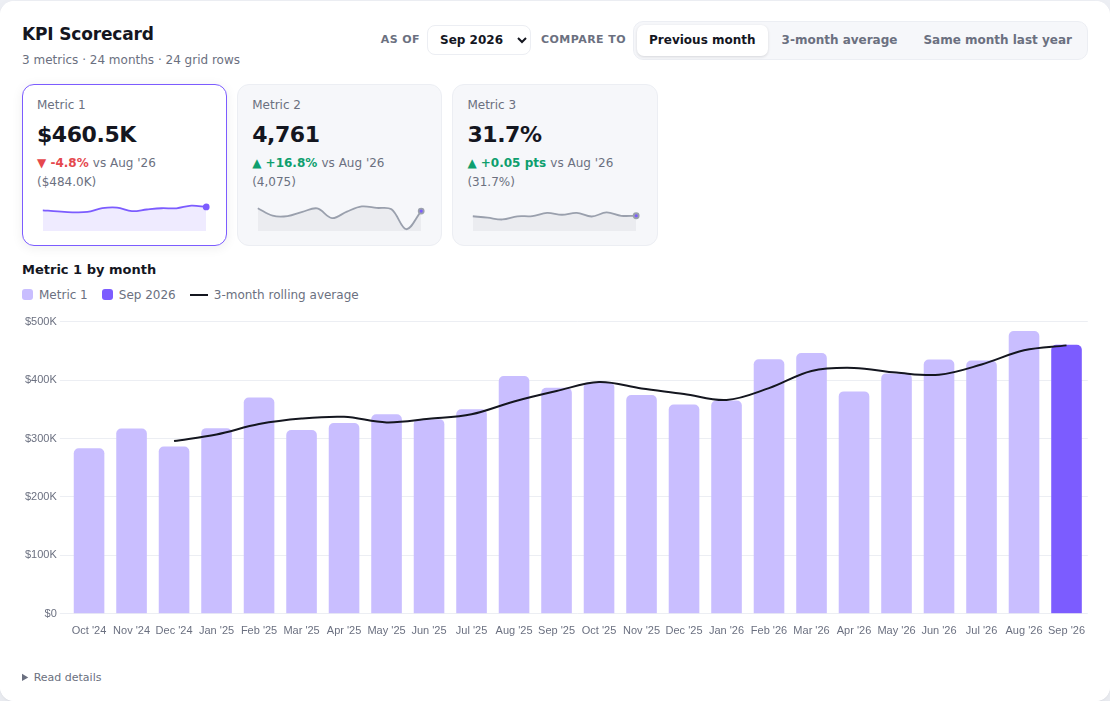
KPI Scorecard – 3 metrics
Three KPI cards with the latest value, change and sparkline, and a trend chart for the selected one.
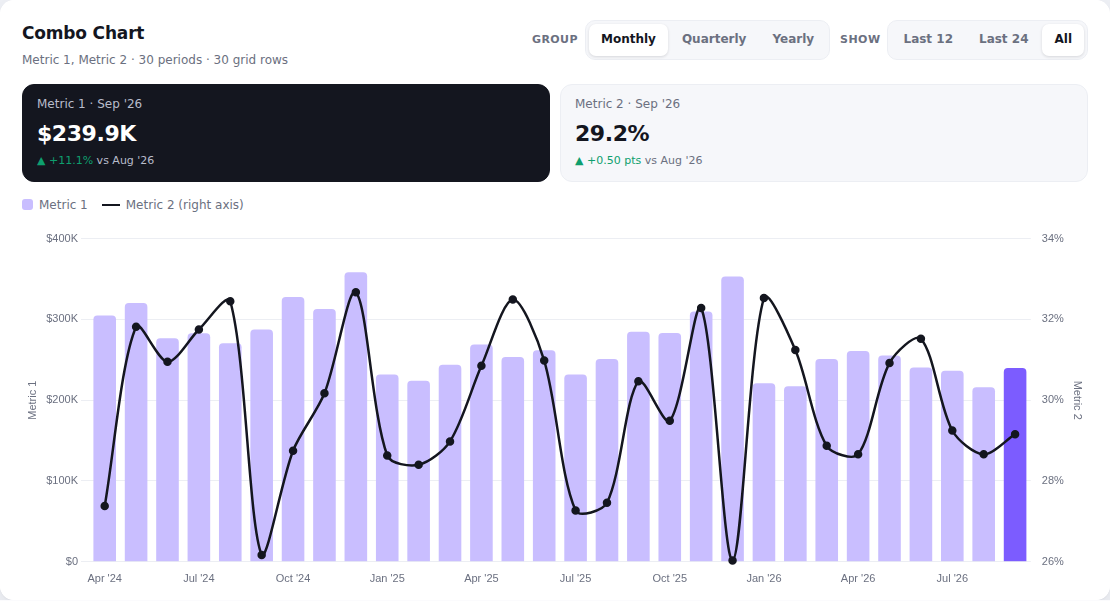
Combo Chart – bar + line
One metric as bars and one as a line on a second axis – e.g. a total and a rate.
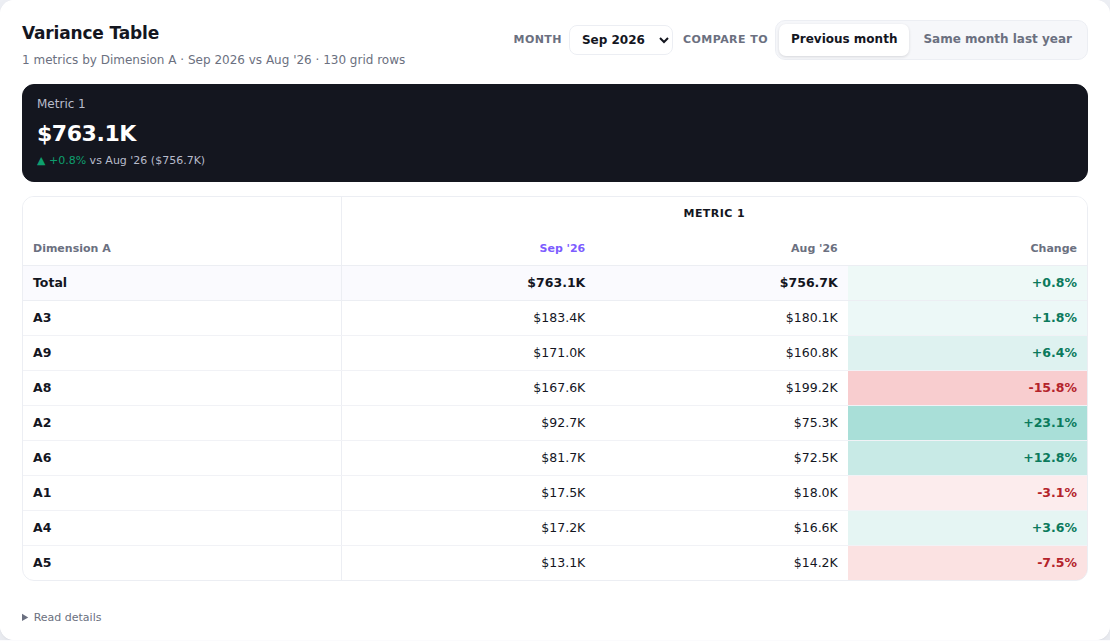
Variance Table – 1 metric
One metric by segment for any month against the previous month or last year.
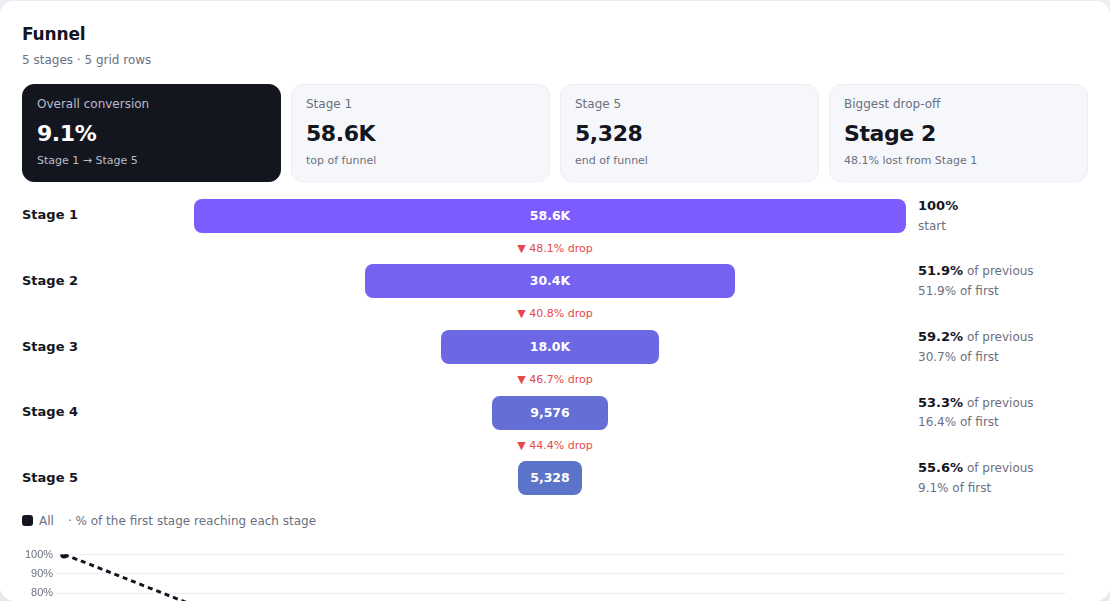
Funnel – no segments
A single funnel from stage counts, with step and overall conversion and the biggest drop-off.
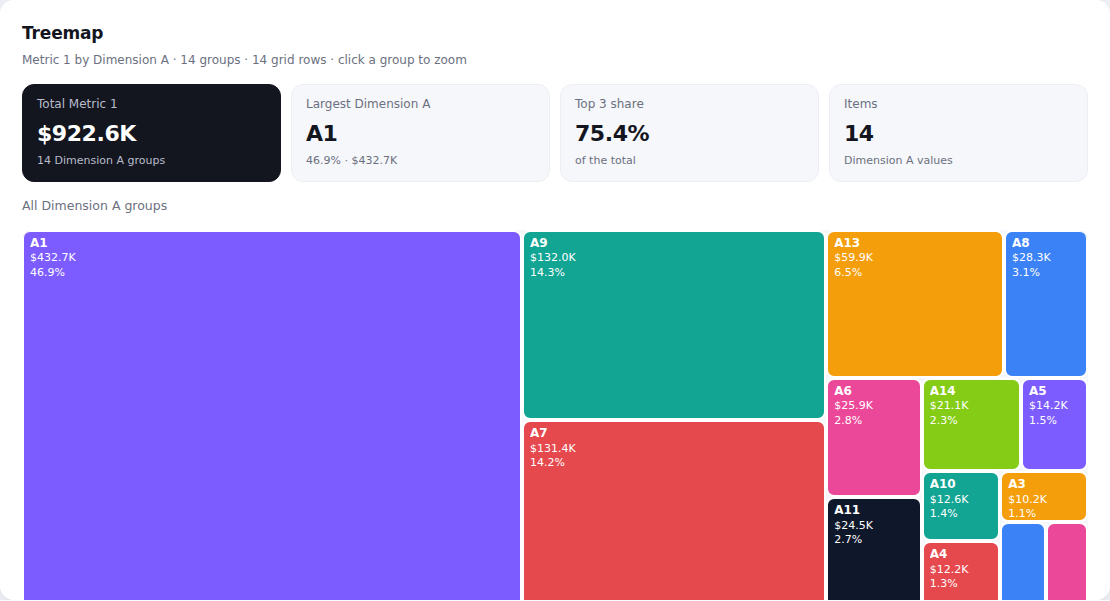
Treemap – one level
One tile per item, sized by value.
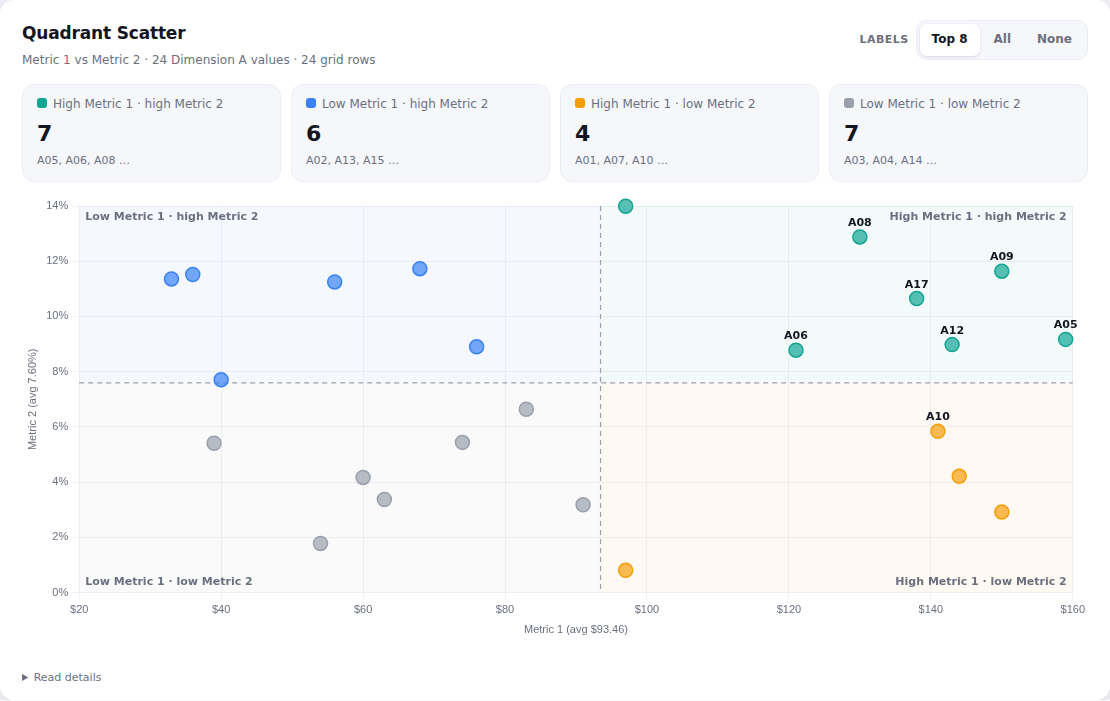
Quadrant Scatter – 2 metrics
Items plotted by two metrics, split into quadrants at the averages, without bubble sizing.
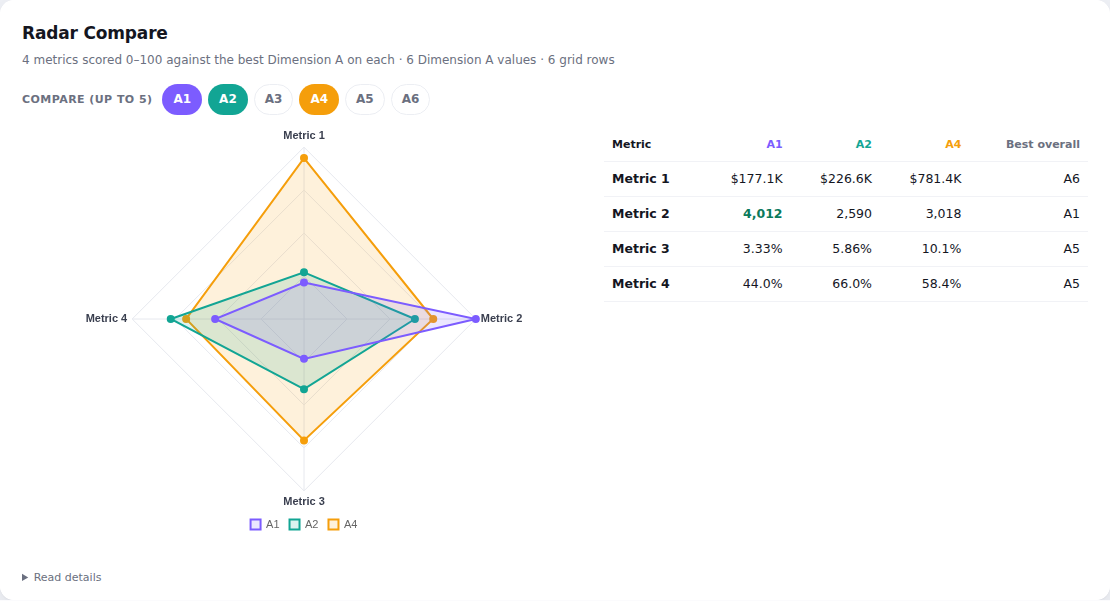
Radar Compare – 4 metrics
Segments compared across four metrics on a radar.
No charts match those filters.
Safe by design
No data leaves the page
Charts read what the page shows the viewer and calculate in their browser. Nothing is uploaded.
Pinned & integrity-checked
Every script is versioned and loaded with an SRI hash, so altered code is refused before it runs.
Permissions still apply
Charts only see rows the viewer is allowed to see. No logins, keys or API calls.
Questions
How do I put a custom chart in a dashboard HTML container?
Add a grid with the chart's columns to the same dashboard page, add an HTML container that runs JavaScript, and paste the chart's snippet. The chart finds the grid, reads every row and draws itself.
Does any data leave the page?
No. The chart reads the grid that is already drawn in the viewer's browser and does every calculation there. The only network requests load the chart script and Chart.js, both checked with an SRI hash.
My grid's column names are different – can I still use a chart?
Yes. Map your headers to the chart's keys with a data-columns attribute on the placeholder, e.g. data-columns='{"v1":"Revenue"}'. The chart then shows your names.
Does it work with large grids?
Yes. If the grid only draws the rows on screen, the chart scrolls through it, waits for each batch and only draws once every row has been read.
Is it free to use?
The charts are published openly on GitHub Pages with copy-paste snippets. Chart.js is MIT-licensed.